 Vista
Updated 24 November 2026. If DigiLocker says a document is not available or the fetch operation fails, first check the issuing authority, the document identifier and the details recorded by that authority. DigiLocker can retrieve an issued digital document only when the relevant issuer makes the record available. A successful login does not prove that every certificate or marksheet is present in the issuer’s database. The quickest way to solve the problem is to distinguish a missing record from a mismatched record or a temporary technical failure.
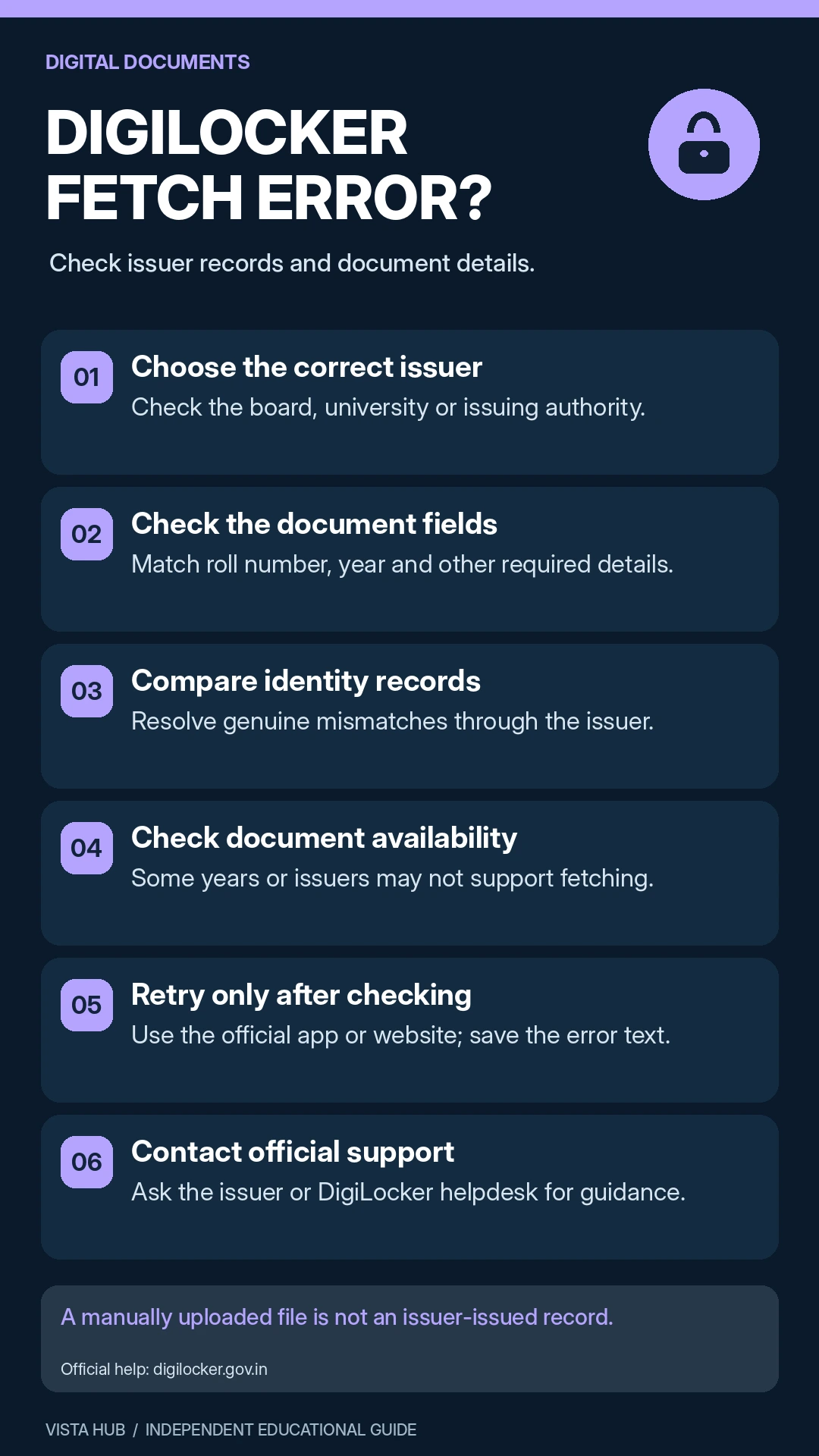
1. Issued Documents and uploaded files are not the same
DigiLocker is a digital document platform, not a universal database that automatically reconstructs every paper document. Participating authorities such as educational boards, universities and government departments make electronic records available through integrations. DigiLocker searches the relevant issuer’s repository using the identifiers required by that issuer. The official issuer integration information explains this distinction.
An issued record retrieved from the issuing institution is different from a photograph or PDF that you upload yourself to your DigiLocker Drive. A self-uploaded scan may be useful for storage, but it does not automatically become an issuer-certified electronic document. When a college, employer or government service asks for an issued record, check whether an uploaded scan will be accepted before relying on it. Do not label an uploaded scan as a verified issued document.
For example, a student may have a valid paper marksheet from a particular year. If the board has not published that year’s digital records, the student may still be unable to fetch it through DigiLocker. That does not establish that the physical marksheet is invalid.
2. DigiLocker error message directory
| Message or symptom | Likely area to investigate | Practical next step |
|---|---|---|
| No record available in issuer database | Incorrect identifier or missing issuer record | Check document number, year and issuer; contact issuing authority if the record remains absent. |
| Document fetching failed | Connection, service availability or issuer response | Retry later on the official service after verifying the details. |
| Name mismatch | Identity details in account and issuer records | Compare the original records and request correction from the responsible authority. |
| Issuer not found | Wrong issuer search or issuer integration unavailable | Search by official institution name and check its digital document service. |
| Marksheet not showing | Board, examination year, roll number or record availability | Use the exact academic identifiers and ask the board or institution about coverage. |
| Document visible but verification fails | Document provenance or verification system | Check the original issued item and the relevant official verification method. |
This is a practical troubleshooting table rather than an official exhaustive error-code list. Exact screen labels can vary with the app version and issuer. Save the actual error text and the time it appeared.
3. DigiLocker marksheet not available: check the academic details
Open the official DigiLocker website or app and sign in. Use the search or document browsing feature to select your board or university. Choose the correct document type: Class 10 marksheet, Class 12 marksheet, passing certificate, migration certificate or university degree. These may be separate records. Enter the roll number, examination year and any other identifier exactly as requested. Do not confuse an admission number with the examination roll number.
Pay special attention to leading zeros, the year in which you appeared for the examination, and the distinction between a regular examination and supplementary examination. A student may use the wrong year because the academic session began in one calendar year and the examination occurred in the next. Read the field label rather than guessing. If a university asks for a registration or enrolment number instead of a roll number, use the appropriate original document.
The National Academic Depository student guidance describes retrieving academic awards. The institution controls the underlying record and its availability. If the institution is listed but the award is absent, ask the examination branch or registrar whether the particular year, programme and document type have been made available. Include the exact error in your request.
For an urgent admission deadline, ask the receiving institution what alternative proof it accepts. A verified physical original, an official duplicate or a board verification service may be suitable, depending on the receiving organisation’s rules. Do not wait until the last date assuming that a DigiLocker fetch will certainly succeed.
4. Aadhaar name mismatch, account details and document errors
Compare the name and other required identifiers in your DigiLocker account, your Aadhaar record and the original document. A difference may come from an expanded initial, a changed surname, a typographical mistake or an incorrect source record. For some issuers, matching identity information is part of retrieval. The official DigiLocker FAQ describes matching Aadhaar names for retrieval of certain transport documents; requirements differ among issuers.
Do not edit the downloaded certificate, invent a different name or create a second account to force a match. Determine which source actually contains an error. If the board’s record is wrong, contact the board or institution. If Aadhaar itself is wrong, use the official UIDAI update process with accepted evidence. If both records correctly reflect names used at different times, ask the relevant institution about its name-change or identity-linking procedure.
For academic awards, the official NAD guidance provides mechanisms for participating institutions to deal with records and certain name-mismatch requests. The student cannot independently rewrite an institution’s issued award in DigiLocker. Ask the institution about its applicable approval or correction route and retain the reference.
5. No record found for driving licence, RC or other government document
Confirm that you selected the correct document type and issuing organisation. For driving licences and vehicle registration certificates, compare the exact number on the official record and use the applicable transport authority service to check whether the source record is available. For older licences, a paper record may need to be reconciled with the relevant transport authority’s database. Ask the responsible office about its procedure rather than assuming DigiLocker can digitise the document automatically.
If an Aadhaar-related authentication step fails, check whether the required authentication channel is working and use only the official recovery or support options. A mobile number or OTP problem is not the same as an issuer record problem. Never share an OTP with a person claiming to help you fetch a document.
If another type of certificate is missing, the same principle applies: identify the legal issuer, confirm the requested identifier and verify availability with the issuer. Some documents may be supplied only through an official department portal instead of DigiLocker.
6. Fetch failed: practical app and connection troubleshooting
- Record the issuer, document type, exact error and time before making changes.
- Check your internet connection and whether the official website or app is functioning.
- Update the app from its official distribution channel if an update is available.
- Try the official web service if the app fails, or the official app if the web session fails.
- Recheck the required identifiers and retry after a reasonable interval if a service is temporarily unavailable.
- If the problem persists, ask the issuer whether the underlying document is present and contact DigiLocker support for a platform or retrieval issue.
There is no reason to install an unofficial APK, share login details with a cybercafe operator or pay someone to produce an allegedly verified electronic certificate. Clearing local app data may require signing in again; it does not create missing issuer records. If your issued document has already been retrieved, check the issued section before trying to obtain it again.
7. How to contact DigiLocker support or the issuer
Use the official DigiLocker helpdesk for persistent technical problems. Describe which issuer and document you selected, which platform you used and what happened. For missing or incorrect institutional records, contact the board, university or other issuer through its official channels. Ask whether the record has been published, whether there is a correction process and what evidence is required.
Subject: Unable to retrieve issued document in DigiLocker. I am trying to retrieve [document type] issued by [institution] for [year, where relevant]. The service shows [exact error] on [date]. I have checked the requested identifiers against my original record. Please confirm whether the digital record is available and advise the correct retrieval or correction procedure.
Keep your ticket number and a private copy of relevant correspondence. Redact Aadhaar numbers, personal identifiers, QR codes and other sensitive data before sharing screenshots in public. Provide required information only through the appropriate secure official channel.
Frequently asked questions
Does no record found mean my marksheet is fake?
No. Missing digital availability does not by itself determine the authenticity of a physical certificate. Confirm with the issuer.
Can I upload a paper marksheet and make it an issued document?
A self-uploaded file remains different from an electronic award supplied by its issuer.
Can DigiLocker correct my university marksheet?
The issuing institution is responsible for correcting its source record. Ask it about the applicable process.
Should I change Aadhaar to match a misspelled certificate?
Not automatically. Identify the incorrect source record first and use the lawful correction route.
How long will a fetch error take to resolve?
There is no universal time guarantee. Resolution depends on whether it is a platform issue, an unavailable record or an issuer-side correction.
Conclusion
Start with the issuer, the document identifier and the exact error message. If the source record is missing, contact the institution; if it is available but the retrieval still fails, use DigiLocker support. Official sources: DigiLocker, NAD FAQ, helpdesk and document verification. This is a troubleshooting guide, not a guarantee of issuance or acceptance by a particular institution.
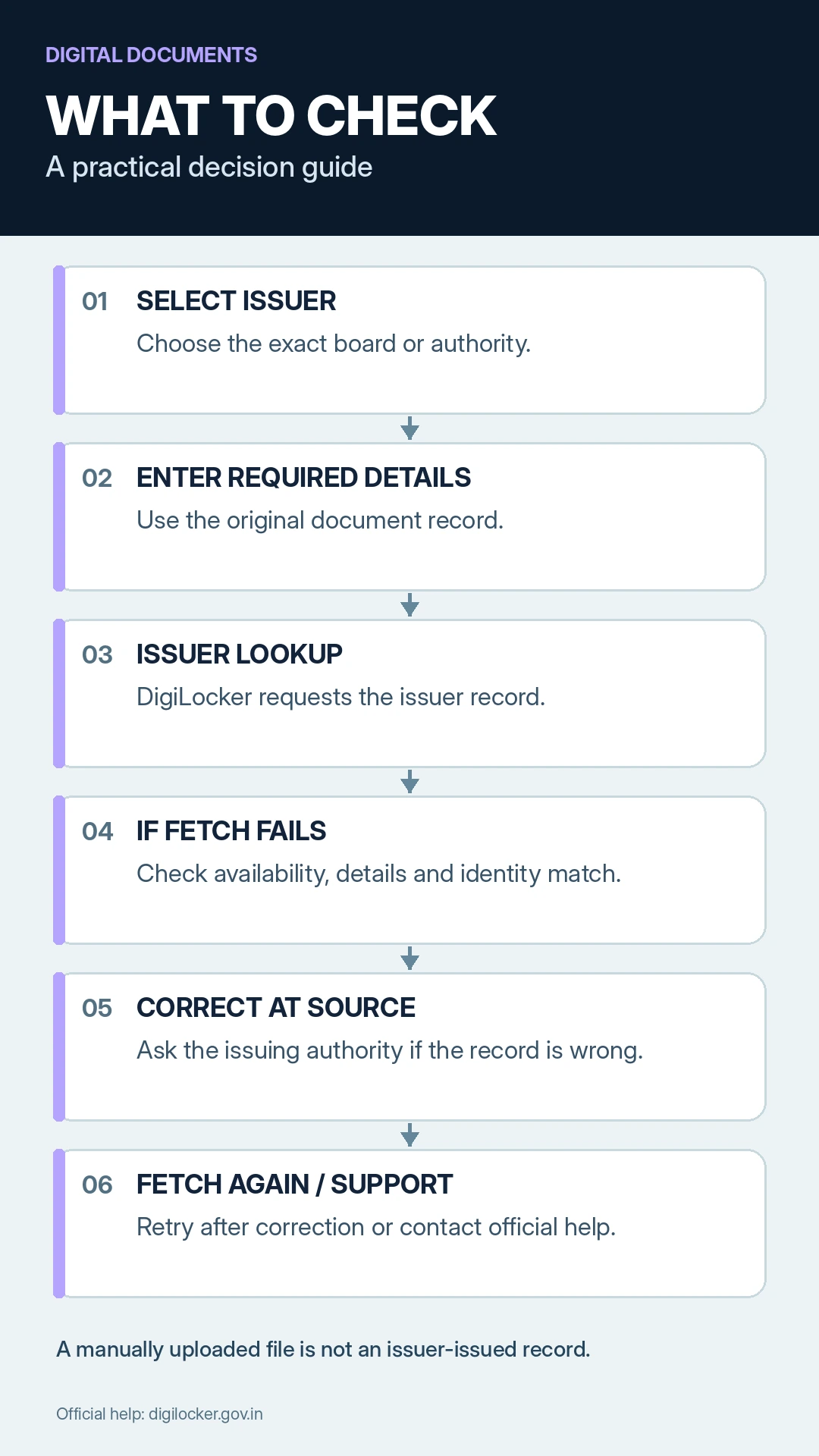
Printable PDF resource
A4 assistance checklist or complaint template in Hindi and English. This is not an official government form.
Download PDF (Hindi + English)Related tools and guides: Aadhaar and Marksheet Name Mismatch: Which Record to Correct? · Aadhaar Front and Back A4 Print Maker – Single Page Layout










Share Your Opinion
Comments are closed on this post.