 Vista

Troubleshooting YONO SBI Login Problems: A Complete Guide
Waking up to a frozen YONO SBI app or an ‘Invalid Credentials’ message can be frustrating. You’re not alone; millions of users search for solutions to YONO SBI login issues daily. This guide offers step-by-step solutions for common problems like SIM binding errors, forgotten MPINs, password resets, username recovery, and account lockouts. Ensure you have your ATM card and registered mobile number handy before starting any reset process.
1. Initial Checks for YONO SBI Login Issues
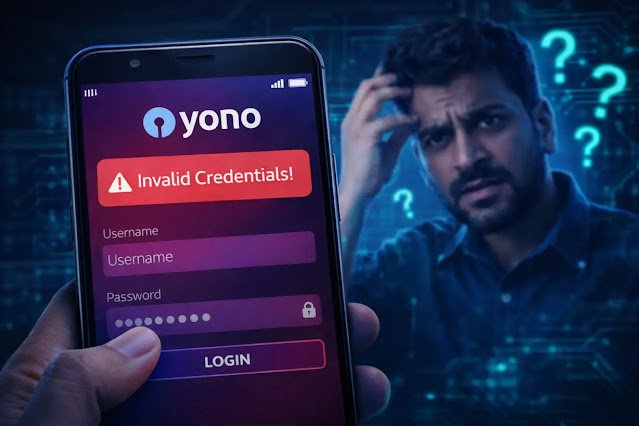
Before diving into specific solutions, confirm if the problem lies with your device or SBI’s servers. SBI occasionally takes the YONO app offline for maintenance, typically between 11 PM and 5 AM. Check Twitter/X for widespread complaints using terms like “YONO SBI not working.” If others face similar issues, it’s a server-side problem, and you’ll need to wait. If it’s just you, try these quick fixes:
- Flight Mode Trick: Toggle Flight Mode on for 10 seconds, then off.
- App Update: Check for YONO SBI updates on the Play Store or App Store.
- Cache Clear: Go to Settings > Apps > YONO SBI > Clear Cache.
- Phone Restart: Turn your phone off, wait 30 seconds, and turn it back on.
- App Reinstall: Uninstall and then reinstall the YONO SBI app.
- Network Switch: Try switching between Wi-Fi and mobile data.
App updates and reinstallation are often the most effective basic fixes.
2. Resolving YONO SBI SIM Binding Error
The “Please Select SIM for verification” or “SIM verification failed” error is common. This occurs because YONO SBI sends a silent SMS from your registered SIM for security verification. If this SMS fails, login is blocked.
Reasons and Solutions:
- No SMS Pack: Ensure your mobile plan includes outgoing SMS or recharge with a small amount.
- Incorrect SIM Slot: For dual-SIM phones, ensure YONO is using the SIM registered with SBI. Select the correct SIM when prompted.
- New SIM: If you recently changed your SIM (even with the same number), uninstall and reinstall YONO to re-bind it.
- Weak Network: Move to an area with better network signal before attempting verification.
3. Forgot YONO SBI MPIN? Reset in Minutes
If you’ve forgotten your 6-digit MPIN for quick login:
- App Method (Recommended): Open YONO SBI. On the login screen, use the “Login with Password” option if you remember your internet banking password. Once logged in, navigate to ‘Services’ or ‘Settings’ > ‘Security’ > ‘MPIN’. Select ‘Forgot MPIN’, verify the OTP sent to your registered mobile, and set a new MPIN.
- Password Reset First: If you’ve forgotten your password too, reset that first (see Section 4), then log in with the new password to reset your MPIN.
4. SBI Yono Password Reset Step-by-Step
If you’ve forgotten your internet banking password, reset it via the official SBI website to avoid account lockout (maximum 3 incorrect attempts).
- Go to onlinesbi.sbi and click “Forgot Login Password”.
- Enter your Username, Account Number, Country, Registered Mobile Number, and Date of Birth.
- Verify the OTP sent to your registered mobile.
- Select “Using ATM Card Details” and enter your Card Number, Expiry Date, and CVV.
- Set a new, strong password (minimum 8 characters, including uppercase, lowercase, number, and special character).
Use this new password to log into the YONO app.
5. Recovering Your YONO SBI Username (User ID)

If you can’t recall your SBI User ID:
- Visit onlinesbi.sbi and click “Forgot Login Password”.
- In the dropdown, select “Forgot Username”.
- Enter your CIF Number (found on your passbook), Country, and Registered Mobile Number.
- Verify the OTP sent to your mobile. Your username will be sent via SMS.
The CIF number is an 11-digit number on the first page of your passbook.
6. Common YONO SBI Error Codes and Solutions
| Error Code / Message | Reason | Solution |
| M005 | Internet weak or server down | Switch network, retry after 5 mins. |
| SB001 | Technical/App error | Clear cache, restart phone. |
| Invalid Credentials | Incorrect username or password | Reset password/MPIN. |
| Account Locked | 3+ incorrect attempts | Wait 24 hours or reset password. |
| SIM Verification Failed | No SMS pack or wrong SIM | Recharge SMS pack, select correct SIM. |
| Session Expired | App idle for too long | Close and re-login. |
| Device Not Registered | Using app on a new phone | Re-register on the new device. |
| Update Required | Outdated app version | Update from Play Store/App Store. |
7. Setting Up YONO SBI on a New Phone
When setting up YONO SBI on a new device:
- Install the latest YONO SBI app from your app store.
- Select “Existing User? Login”.
- Enter your User ID and Password.
- Verify the OTP sent to your registered mobile.
- Set a new MPIN.
A new device requires a fresh MPIN setup.
8. When All Else Fails: Contacting Support
If you’ve tried all troubleshooting steps and still can’t log in, the issue might be on the bank’s end (e.g., account block, KYC pending).
- Customer Care: Call SBI’s toll-free number 1800 1234 and select the Internet Banking/Digital Services option. Explain your issue to the agent.
- Branch Visit: If customer care cannot resolve it, visit your home branch with your Aadhaar Card, PAN Card, and Passbook. You may need to fill out an internet banking reset form.
⚠️ YONO SBI Fraud Alert
Be extremely cautious of fake websites and phishing attempts. Always ensure you are on the official SBI website (onlinesbi.sbi). Never share your login credentials, OTPs, or install remote access apps (like AnyDesk) if contacted by someone claiming to be from SBI. SBI officials will never ask for such information.
9. FAQ: Common YONO SBI Login Questions
Q1. How to reset YONO SBI Password without an ATM Card?
Without an ATM card, you can reset your password using your ‘Profile Password’ if you remember it. Alternatively, you must visit your home branch with your Aadhaar and PAN cards.
Q2. My YONO SBI Account is Locked. How to Unlock it?
An account locks after 3 incorrect login attempts. It unlocks automatically after 24 hours, or you can expedite it by resetting your password via the “Forgot Login Password” process.
Q3. How to Register a New Mobile Number on YONO SBI?
Mobile number changes require visiting an SBI ATM with the mobile number update facility or visiting your home branch with necessary identification documents. The app or website cannot directly change your registered mobile number.
Q4. YONO SBI App is Stuck on Loading?
Try the Flight Mode trick, update the app, clear its cache, or reinstall it. These steps usually resolve loading issues.
Q5. What is my YONO SBI Username and where can I find it?
Your YONO SBI Username (User ID) is your internet banking ID, not your email. You can recover it on the onlinesbi.sbi website by selecting “Forgot Username” and providing your CIF number and registered mobile number.
Q6. My YONO SBI Transaction Failed. When will I get my money back?
Failed transaction amounts are typically reversed within 2-7 business days. If not, check your transaction history in the app and contact SBI customer care with the transaction reference number.
Q7. Can I start FD and SIP on YONO SBI?
Yes, YONO SBI allows you to open FDs, invest in mutual funds (SIPs), apply for loans, and manage various banking services. Always use financial calculators to understand potential returns before investing.























Share Your Opinion
Comments are closed on this post.