
What is Google? Understanding the Search Engine and the Company
Google is primarily known as a powerful search engine that helps you find information on the internet. When you type in a query or keywords, Google presents a list of relevant websites. However, Google is much more than just a search engine; it’s a massive technology company offering a wide range of services that have become integral to our daily lives. Since 2015, Google has operated as a subsidiary of its parent company, Alphabet Inc.
The Genesis of Google: From Research Project to Global Giant

Google’s journey began in 1998, founded by Larry Page and Sergey Brin while they were Ph.D. students at Stanford University. Initially conceived as a research project, it quickly evolved into a company. The company’s headquarters are located in Mountain View, California, USA. Notably, Sundar Pichai, who was born in India, serves as the CEO of both Google and its parent company, Alphabet.
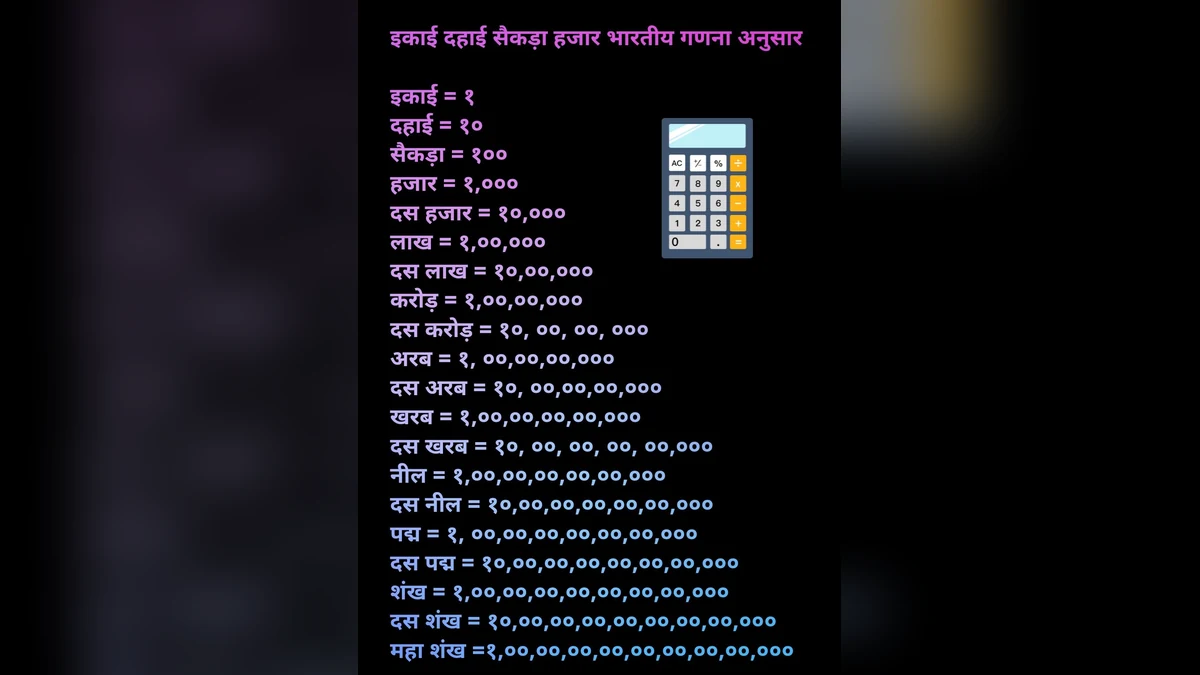
The name “Google” is derived from the word “googol,” a mathematical term representing the number 1 followed by 100 zeros. It’s important to note that Google does not have an official full form.
How Google Search Works: Crawl, Index, Rank
Google’s search functionality operates through a three-step process:
- Crawl: Google employs automated programs called “bots” or “spiders” that continuously browse the web, discovering new and updated pages.
- Index: The information gathered during crawling is organized and stored in a massive database, known as the index. This index allows Google to quickly retrieve relevant results.
- Rank: When you perform a search, Google’s algorithms analyze the indexed pages to determine which ones are most relevant and useful for your query. These are then presented in the search results, with the most pertinent ones appearing at the top.
This process is dynamic, meaning new content can appear in search results relatively quickly. Google considers various factors when ranking pages, including the content’s relevance, the quality of links pointing to it, and its overall usefulness to the user. Using precise keywords and phrases can significantly improve the quality of your search results.
Key Google Services You Can Use
Beyond its core search function, Google offers a suite of indispensable services:
- Google Search: For finding information on virtually any topic.
- Google Maps: For navigation, discovering places, and getting directions.
- YouTube: A platform for watching, sharing, and uploading videos.
- Gmail: A widely used email service.
- Android: The operating system powering a vast number of smartphones and tablets.
- Google Drive: For storing and accessing files online.
Most of these services are offered free of charge to users. Google generates revenue primarily through advertising.
Tips for Effective Google Searching
To get the most out of Google searches, consider these tips:
- Use clear and concise keywords: Focus on the main terms related to your query.
- Use quotation marks for exact phrases: Enclosing a phrase in quotation marks (e.g., “sustainable development goals”) will ensure Google searches for that exact sequence of words.
- Specify a website for searching: Use the `site:` operator followed by the website address and your query (e.g., `site:example.com climate change`) to search only within a particular site.
- Exclude terms: Use a minus sign (-) before a word to exclude it from your search results (e.g., `jaguar -car` to find information about the animal, not the vehicle).
- Use `filetype:` for specific document types: If you’re looking for a PDF, for instance, add `filetype:pdf` to your search query.
- Add context: Including dates or locations can refine your search results when relevant.
Google also functions as a calculator and unit converter. Simply type in a calculation (e.g., `25*48`) or a conversion (e.g., `5 feet to cm`, `100 USD to INR`) for instant results. You can also get quick information on weather, sports scores, and flight/train schedules directly from the search bar.
Understanding Google’s Business Model: Advertising
Google makes money primarily through advertising. Businesses pay Google to display their advertisements on Google Search results pages and on YouTube. Often, advertisers pay based on clicks their ads receive. These sponsored links are typically marked with “Sponsored” or “Ad” labels, usually appearing at the top of the search results. It’s important to distinguish between organic search results and paid advertisements.
Privacy and Online Safety with Your Google Account
Your Google account connects you to many services. It’s crucial to manage your privacy settings:
- Review Privacy Settings: Regularly check your Google account’s privacy settings to understand what data is being collected and shared.
- Use Strong Passwords: Opt for complex and unique passwords for your Google account.
- Enable Two-Step Verification: This adds an extra layer of security by requiring a second form of verification (like a code sent to your phone) when logging in.
- Be Wary of Links: Avoid clicking on suspicious links in emails or on websites.
Remember, Google will never ask for your password or OTP (One-Time Password) via phone call or message. If someone claiming to be from Google requests such information, it is a scam. In India, you can report such incidents to the cybercrime helpline at 1930 or visit cybercrime.gov.in.
You can review and delete your search and YouTube history within your Google account settings. You can also customize your ad settings to influence the types of ads you see.
Additional Google Tools and Features
Google offers several other useful tools:
- Voice Search: Speak your queries instead of typing.
- Google Lens: Use your phone’s camera to search for information about objects or text.
- Google Translate: Translate words and phrases between languages.
- Google Pay (GPay): Facilitates UPI-based payments in India.
Creating a Google account is free. A single Gmail address serves as your login for YouTube, Drive, Maps, and Android devices. You get 15 GB of free storage on Google Drive, shared across Gmail and Google Photos. Ensure your account recovery options (phone number and alternative email) are up-to-date.
Important Considerations for Information Accuracy
While Google provides vast amounts of information, it’s essential to critically evaluate the results. Not all information found online is accurate. For critical matters related to health, finance, or legal issues, always cross-reference information with official government websites or other trusted, authoritative sources. Be discerning about the source of information, especially when it comes to sensitive topics.
Frequently Asked Questions about Google
Who owns Google?
Google is owned by its parent company, Alphabet Inc. Sundar Pichai is the CEO of both companies. The company was founded by Larry Page and Sergey Brin.
When did Google start?
Google was founded in 1998.
How does Google make money?
Google’s primary revenue stream is advertising. It displays ads on its search results pages, YouTube, and other platforms.
What is the full form of Google?
Google does not have an official full form. The name is derived from the mathematical term “googol.”.
How can I improve my Google search results?
To improve your search results, use specific keywords, utilize quotation marks for exact phrases, employ the `site:` operator to search within a specific website, and use the minus sign to exclude irrelevant terms. Always consider the context of your search.
Is Google free to use?
Most of Google’s core services, such as Search, Gmail, Maps, and YouTube, are free for users. Google generates revenue through advertising and other business services.
This information is for general knowledge purposes only. For specific legal, financial, or health advice, consult with qualified professionals and verify information with official sources.




















Share Your Opinion
Comments are closed on this post.