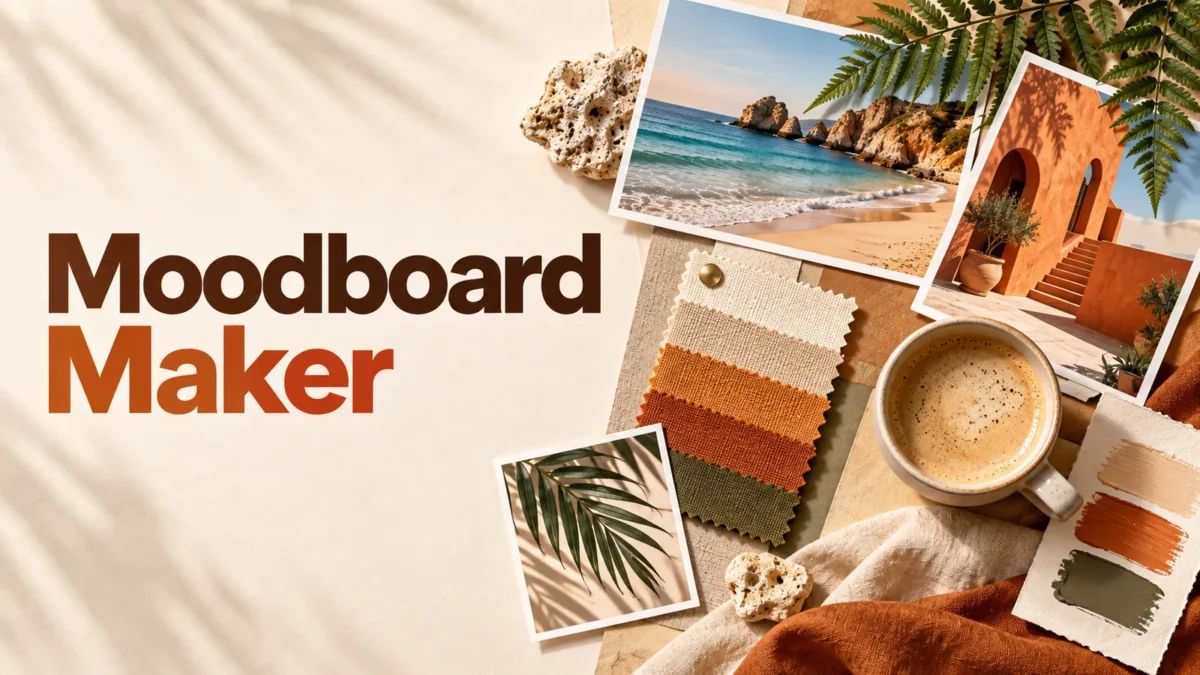
Build a visual moodboard for your screen
A moodboard gathers photographs and colors around an idea: a weekend trip, a room style, a study desk or a creative project. This maker arranges three to six pictures as gently tilted paper cards, then places optional color swatches underneath. Choose a phone or desktop canvas and save the finished composition as a PNG wallpaper or a visual reference.
The design uses fixed arrangements rather than a freely editable canvas. Pictures keep their proportions inside their paper cards; the tool does not analyze their subjects or choose a color theme automatically. You select the background and, if useful, three HEX colors. It is meant for preparing one coherent graphic, not managing a collection of boards or synchronizing a phone's wallpaper settings.
Prepare your photographs and colors
Select three to six JPEG, PNG or WebP files. Each may be up to 25 MB and 24 million decoded pixels. Their combined file size must not exceed 60 MB. Files are processed in the order returned by the browser's file picker; there is no separate drag-to-reorder control. Always check where each photograph appears in the completed board.
Large sources are reduced to working copies with a longest edge of 1800 pixels. Each working image is released after its card is drawn, reducing the need to retain all full-size sources together. The final canvas still has the dimensions selected below. This preparation can soften tiny writing or details in a large original, so avoid relying on the board as a document viewer.
For a travel board, combine scenes with similar light or a repeating accent color. For a room idea, use a mixture of a wider scene and a few texture or object details. Having three separate photographs generally communicates an idea more clearly than repeating one picture several times. Use your own photos or images you have permission to reuse.
Make a phone or desktop layout
Choose Phone for a 1080 × 1920 portrait canvas, or Desktop for a 1920 × 1080 landscape canvas. These are fixed pixel sizes. A device with a different screen ratio may crop or reposition the finished wallpaper. The tool does not read your screen's exact dimensions or apply the wallpaper automatically, so inspect your device's wallpaper preview after saving.
Enter an optional heading of up to forty Unicode codepoints. It appears above the cards and can wrap across up to two lines. An overly wide heading receives a shortening message. A few words describing the idea are usually sufficient. The heading is decorative text, not a filename or a search query sent to a design service.
Choose a background color. For swatches, either enter exactly three six-digit HEX values separated by commas, such as #eaa79e, #719794, #efcf91, or leave the field empty. Short three-digit colors and named colors are not accepted in that field. The background color picker is separate and does not automatically update the three swatches.
Create the preview, then review the picture order, heading and swatch colors. Download the PNG beneath it. If you change a setting or choose different photos, create another preview before downloading. The old link is removed so that you do not accidentally save an earlier version while looking at new controls.
Understand the card arrangement
Phone layouts use two columns; desktop layouts use three. The number of rows depends on how many pictures you choose. When the final row contains fewer cards, those cards are centered. A three-picture phone board therefore has a pair of cards above a centered card rather than three equally narrow columns across the phone screen.
Each picture is contained inside a cream paper card, keeping the complete image visible. A non-matching aspect ratio leaves space in the image opening. Small alternating rotations, shadows and extra paper below the photograph create a pinboard-style effect. You cannot individually move, rotate, crop or resize the cards in this version. Prepare sources separately when you need a different subject position.
The swatches are solid decorative rectangles. They are colors you enter, not colors extracted from the photographs, and the maker does not check whether they are the most representative colors. If precise extraction matters, use an image palette tool first and paste the resulting HEX values. Screen displays can still make the same RGB colors appear somewhat different.
Quality, privacy and compatibility
Export is one flattened PNG at the chosen canvas dimensions. It does not contain movable layers, original files or an editable board project. Resizing into cards can reduce fine detail even though PNG avoids an extra lossy export stage. A low-resolution picture may look soft when enlarged. Inspect the actual downloaded file when a scaled preview makes detail hard to judge.
The custom moodboard code decodes and arranges the selected photos locally in your browser. It does not upload them, create an online album or save a server-side history. Other page resources, such as analytics or advertising where enabled, can make network requests. Save your source files and output yourself; refreshing the page loses the current selection and settings.
Use a recent browser with Canvas, image decoding and JavaScript. On a phone, the file picker must allow multiple selection. If only one image was returned, select again using the picker's multiple-selection mode. For decoding or memory errors, try suitable smaller source copies. HEIC, animated GIF, PDFs and videos are outside the accepted input formats.
Related tools and reading
For original illustrations in a moodboard, prepare clear instructions for each intended scene. Writing clearer Gemini image prompts
Frequently asked questions
How many pictures can I use?
Choose three to six pictures. Every file must stay within the individual format, size and pixel limits, and all selected files together must be 60 MB or smaller.
Does it install the wallpaper on my phone?
No. It creates a PNG at 1080 × 1920 or 1920 × 1080. Download it and use your device's wallpaper settings yourself, checking any crop or zoom that the device applies.
Can I rearrange individual cards?
This version uses a fixed card layout and the order returned by the file picker. There are no individual dragging, rotation or positioning controls. Reselect pictures or prepare sources separately if needed.
Are swatches extracted automatically?
No. You enter exactly three six-digit HEX colors or omit swatches. They are decorative chosen colors; the maker does not sample the photographs or evaluate contrast accessibility.
Are my photographs uploaded?
The tool code processes them locally and does not store an online board. Ordinary page resources may still use the network. Keep your source files and download the PNG before refreshing.
Why does the wallpaper look cropped or soft?
Your device may crop a fixed-ratio wallpaper to its own screen. Image resizing into cards can also soften detail, especially from small sources. Review the finished file and the device's wallpaper preview separately.