 Vista
Chase banking outage update (November 17, 2026): JPMorgan Chase said a software bug affecting its on-premises hardware systems delayed some transactions on Monday, November 16. Customers reported trouble with online banking, account access and payments; transfers involving other banks and some Zelle payments were also delayed. By around 6:30 p.m. Eastern Time on November 16, Chase confirmed that transactions were posting normally again. The bank said the incident was not a cyberattack and that customers continued to have access to their accounts and funds. If your particular payment still shows pending, that individual transaction deserves checking even though the wider incident has been resolved.
NBC News reported that Chase confirmed normal posting Monday evening. Zelle separately told NBC that its network was operating and that bank-side problems could delay some payments. For a still-pending transfer, check the official Chase activity view. Chase says cancellation is available only when the recipient has not enrolled. Use Chase’s Zelle help or Chase’s fraud reporting page for an unfamiliar transaction.
This guide explains the Chase banking outages, the reported cause, when service recovered, why customers at other banks also saw errors, what happened to the Zelle network and how to handle an incomplete transfer without accidentally paying twice. It separates verified statements from reports on user-submitted outage trackers, and uses Chase’s own support pages for practical security steps. The key search questions—Chase bank outage today, why was Chase down, Chase app not working, Zelle payment pending and is Chase back up—are answered below.
Chase Banking Outage: What Happened on November 16, 2026?
On Monday, November 16, customers of Chase began reporting problems with routine banking activities. Some saw app or website errors. Others described unusually slow transactions, delays in sending money or trouble completing actions at branch locations. As complaints multiplied, the incident attracted broader attention because customers at other banks also reported delays around the same time. Those simultaneous symptoms made the problem look like a nationwide failure of several banking systems, but the picture became more precise as institutions responded.
In its statement covered by Reuters on November 16, JPMorgan Chase attributed the disruption to a temporary software bug in systems running on hardware it operated directly. The bank said servicing some customers was taking longer than usual. It also explained that transactions involving counterparties at other banks could be affected by the delays, even if those other banks were not experiencing the same underlying technical problem.
There is a difference between a mobile app refusing to load, a payment being delayed in processing and a bank’s entire infrastructure being offline. Social-media posts may use the word outage for all three. From a customer’s point of view, a delayed payment is still disruptive; however, reporting should identify the affected operation rather than imply that all account balances or funds disappeared. Chase said its customers retained access to their accounts and money during the disruption.
Major outlets including the Associated Press and CBS News documented the ripple effects. Some other institutions clarified that their own systems were operating normally while particular transfers with Chase could take longer. This is an important distinction for anyone trying to understand why a Zelle transaction between two banks might be delayed without both banks suffering a direct service outage.
Is Chase Bank Back Up? Verified Recovery Status and Timeline
Yes, the reported widespread Chase transaction-processing issue was resolved on Monday evening. Chase told news outlets that transactions were posting normally by about 6:30 p.m. ET on November 16. As of our November 17 editorial check, reporting treats that incident as resolved rather than an ongoing nationwide outage. That statement is not a real-time guarantee for every individual account, future service issue or pending transfer; a particular payment may still need review.
| When (U.S. Eastern Time) | Development | Status of evidence |
|---|---|---|
| Monday, November 16, morning | Users began reporting sign-in, transaction and other banking difficulties. | Customer reports documented by news outlets. |
| Monday afternoon | Chase and other-bank complaints increased on Downdetector; payment delays were widely discussed. | User-submitted reports, not a count of verified failed payments. |
| Monday later afternoon | JPMorgan Chase publicly attributed slow processing to a software bug in on-premises systems and said it was not cyber-related. | Bank statement reported by Reuters and AP. |
| About 6:30 p.m. ET Monday | Chase confirmed transactions were posting normally again. | Bank confirmation covered by NBC News. |
| Tuesday, November 17 | The November 16 widespread incident was being reported as resolved; customers should still verify individual transaction status. | Recovery reporting; not live monitoring of every account. |
The NBC News report quotes Chase’s recovery confirmation. The end-of-day wording matters because an article titled “Chase down now” would mislead readers after restoration. It is more useful to explain what happened and focus on lingering customer questions: Was a transfer actually completed? Was a payment entered twice? Does a recipient need to take action? Have any fees or missed deadlines arisen because the transaction was slow?
Downdetector can help identify spikes in complaints, but its charts reflect reports from users and do not measure every failed transaction or prove that a given bank’s underlying systems are down. Hundreds or thousands of submitted complaints can include sign-in problems, transfer delays, account balance display issues and symptoms caused by another institution. Official bank statements and the status of your own transaction carry more weight when deciding what to do next.
What Caused the Chase Outage? Software Bug vs Cyberattack
JPMorgan Chase identified the cause as a software bug in its internal on-premises hardware systems. In simple terms, this means a problem involving software operating on infrastructure maintained within the bank’s own environment, as opposed to a publicly established attack by an outside group. That description does not reveal the exact code defect, subsystem or engineering changes used to resolve it. Unless the bank publishes a detailed incident report, it would be speculation to name a particular vendor, database, deployment or hardware failure.
The bank said it had no evidence that the problem was cyber-related. No trustworthy reporting cited here establishes a hack, stolen deposits or a ransomware incident as the cause. The phrase “no evidence it was cyber-related” is a carefully scoped statement; it should not be expanded into an unproven claim about every security measure or every possible account-level scam. Customers should continue normal precautions against phishing and unauthorized payments regardless of what caused a temporary service interruption.
Different banking functions rely on different systems and external counterparties. A bank may be able to display an account balance while experiencing slower outgoing or incoming payment processing. That explains how Chase could say customers maintained access to funds while customers still described real transaction inconvenience. A posting delay is not the same as the disappearance of account deposits.
Why Did Zelle, Bank of America, Wells Fargo and Other Banks Appear Down?
Reports also came from customers at Bank of America, U.S. Bank, Wells Fargo and other U.S. financial institutions. Their experiences were not necessarily caused by identical internal outages. Chase said other institutions might experience delays where they were parties to a transaction with it. In particular, a payment sent between people at different banks requires processing on both sides, so trouble at one bank can be visible to customers at another.
Was Zelle itself down? The operator of Zelle said its network was fully operational, according to Associated Press reporting. It acknowledged that an issue at individual financial institutions could delay payments involving their customers. That means “Zelle payment delayed through Chase” is not interchangeable with “the entire Zelle network failed.” Readers should check the sending and receiving banks’ account activity before attempting to transfer the same money again.
Some U.S. Bank customers also experienced issues when trying to send or receive Zelle payments across institutions despite U.S. Bank stating its own systems were not directly impacted. These differences are especially relevant when online headlines group many bank brands under the same “outage” label. The clearest approach is to distinguish the software problem Chase acknowledged, customer reports at other institutions and any direct confirmations each bank made separately.
Chase Pending Transaction After the Outage: What Should You Do?
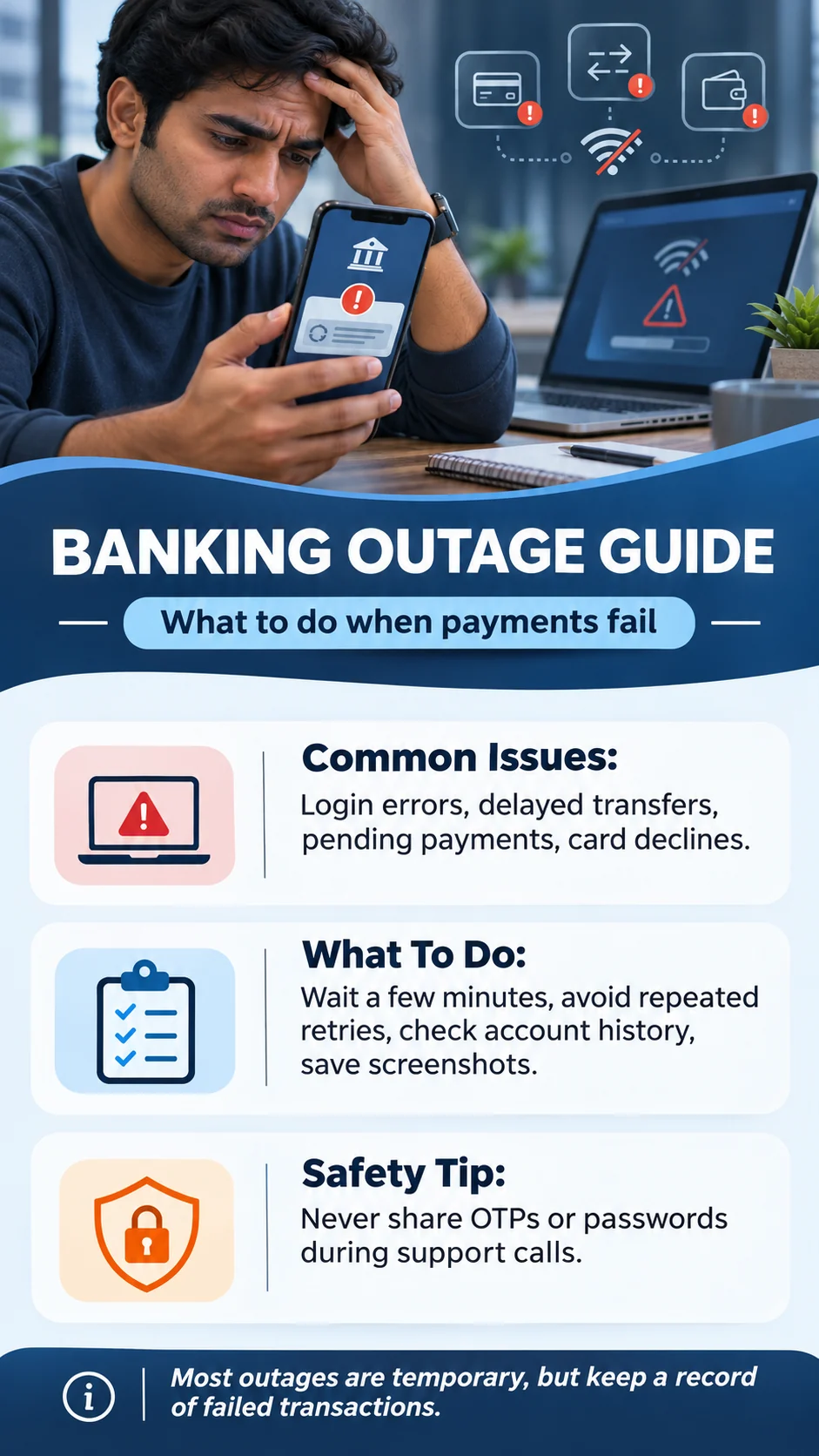
If a payment still looks incomplete, start with your transaction records—not another tap of the Send button. A temporary processing delay can result in the original transfer later posting successfully. Repeatedly resending it could create a second payment that is difficult to reverse, particularly with person-to-person transfers. These are general safety steps, not a promise that every payment can be cancelled or refunded.
Step 1 — Check activity in the official app or website. Sign in using the Chase Mobile app you normally use or type chase.com directly into your browser. Review recent account activity, available balance, pending items and any payment confirmation details. Do not sign in through a link from an unsolicited text claiming you must “restore your money.”
Step 2 — Determine whether a transfer is pending, completed or failed. “Pending” usually indicates an action is not yet finalized, but exact labels depend on payment type and bank. An apparent app error does not prove the instruction was never received. Avoid sending the same amount a second time until you know what happened to the first instruction. For important recurring payments, check both the bank’s records and the biller’s account.
Step 3 — Check with the recipient or biller where appropriate. If the transfer was to someone you know, ask whether they received it, without sharing passwords or one-time verification codes. If it was a bill payment close to a due date, check with the company about the payment’s status and any potential late charge. Save a time-stamped screenshot of your transaction record and confirmation number if available.
Step 4 — Contact your bank through verified channels. If the delay continues, you find a duplicate debit, or the transfer’s status is contradictory, use Chase’s official customer service page or the support number printed on your bank card or statement. Chase also allows signed-in customers to use secure messages for questions and complaints. A payment from another institution may need to be investigated by the sending bank first.
Step 5 — Document any consequence. Note the original payment date, amount, status, transaction reference, whether the recipient received funds and any resulting late fee. If you request a fee waiver or dispute, your bank or biller will need to assess the circumstances; an outage does not automatically guarantee a refund or compensation. Avoid public posts containing account numbers, full names, addresses or images exposing financial identifiers.
What If Chase Shows a Duplicate Debit, Unauthorized Charge or Login Error?
A duplicate transaction after an outage should be handled according to the type of charge. For a card purchase, you can use the Chase Mobile app’s transaction details and select “Report a problem” when available. The official Chase dispute instructions describe how to submit and track a dispute. For bank transfers, Zelle or bill pay, contact Chase through the appropriate support channel before attempting any reversal; the correct route may differ from a card-purchase dispute.
Unauthorized activity is more urgent than a normal pending transaction. If you notice a debit you did not approve or believe your login details have been compromised, use the official Chase fraud-reporting page and contact the bank promptly. Chase’s listed support options include reporting suspicious charges through its app, but not every issue has the same reporting steps. Do not share full card details, passwords or an OTP with someone who contacts you unexpectedly about “fixing the outage.”
If you cannot sign in, confirm you are using the authentic app or website and that your device is connected to the internet. A single failed login might reflect your connection, incorrect credentials, a device problem or a separate service issue. Don’t keep entering passwords into sites provided by social-media replies. If the problem continues, use official technical support and choose the account-recovery process supplied by Chase.
Be suspicious of “instant recovery” offers, messages asking you to move money to a “safe account,” and fake bank agents on social media. An outage creates confusion that scammers can exploit. A genuine bank security process should be verified independently through the number printed on your bank card or the bank’s official website; unexpected callers and messages are not adequate proof of identity.
Was Money Safe During the Chase Outage? What About Fees?
Chase told reporters that customers still had access to their accounts and funds during the November 16 incident. The bank did not describe the problem as a loss of deposits or a cyberattack. That is different from claiming no customer could possibly experience any financial inconvenience: a time-sensitive transfer or bill payment may be affected even when money remains in the account.
If an automated bill or rent payment was delayed, contact the recipient and explain the dated bank processing issue. Keep supporting information and ask for review of a late fee when appropriate. Whether a fee is waived depends on the biller’s rules, your payment arrangement and the evidence; no across-the-board waiver was confirmed in the sources checked for this article. Likewise, a temporary display error in account balance does not independently prove funds were missing.
For unauthorized transactions, different federal consumer protections, timing rules and account agreements may apply. The appropriate response is to report suspected fraud promptly and use Chase’s official instructions rather than assuming that every inconvenience qualifies for reimbursement. The bank’s payment safety information differentiates unauthorized charges from situations in which a customer voluntarily sent money, including scams.
How to Check Chase’s Status Without Trusting Viral Outage Rumors
Start with any notices inside the official Chase app or authenticated website, then check the bank’s verified support communications and reputable news outlets. Outage-tracker websites can provide a rough signal of reports increasing, but they are not official engineering dashboards. Users may submit complaints even after a widespread incident has ended, and not every report describes the same failure.
When reading a search result for “Chase bank outage today”, look at both the publication date and the event date. A November 16 story may remain in search results on November 17 or weeks later, without showing an outage at that later time. The update here is specifically about the November 16, 2026 incident, and the recovery claim is the Monday evening confirmation—not a live test of the reader’s account.
For broader news context, compare independent coverage: Reuters explained the bank’s software-bug statement, the Associated Press described the interbank and Zelle implications, and NBC News reported that transactions were processing normally again. Those different sources support different parts of the story. They also help avoid a misleading narrative that several banks simultaneously suffered independent hacks.
Frequently Asked Questions About the Chase Banking Outage
1. Did Chase restore service after the November 16 outage?
The widespread November 16 transaction-processing incident was reported resolved by Monday evening, when Chase confirmed normal posting. This is not live monitoring of each customer’s account; check official support if you still have an error.
2. What caused Chase’s November 16 banking outage?
JPMorgan Chase said a software bug affecting on-premises hardware systems slowed some transactions. It said the issue was not cyber-related and no evidence of a cyberattack had been found.
3. Were Chase accounts or deposits hacked?
The bank did not identify a cyberattack or loss of deposits as the cause. It said customers retained access to their accounts and funds. Any suspicious charge on your own account should still be reported immediately.
4. Why was my Zelle payment from Chase delayed?
Transfers involving Chase may have been delayed by the bank’s transaction-processing problem. Zelle’s operator said its network was functioning, though individual-bank problems could affect transfers involving their customers.
5. Should I resend a Chase payment that still says pending?
Not before checking the original payment’s status. A delayed transfer may post later, so resending can create a duplicate. Use official customer service if the status remains unclear or the payment is time-sensitive.
6. Can I get a late fee refunded because of the Chase outage?
You may ask your bank or biller to review the circumstances, providing a payment reference and documentation. A universal automatic fee refund or waiver was not verified for this incident.
Bottom Line: Chase Recovered, but Check Your Own Transactions
The Chase banking outage on November 16, 2026 was traced by JPMorgan Chase to a software bug, not a confirmed cyberattack. It slowed transactions and had knock-on effects for some interbank and Zelle payments. By Monday evening, Chase said transactions were posting normally. Readers encountering search results on November 17 should distinguish that resolved widespread disruption from any personal transaction that remains pending or a new, unrelated technical problem.
The safest next step is simple: verify your payment history in the authentic app, avoid repeating a transfer without checking whether it went through, keep records of any fee or delay, and use Chase’s official support or fraud channels when needed. Avoid social-media “support” accounts offering to recover funds in exchange for login credentials.
Sources, Update Date and Editorial Note
Article checked November 17, 2026. Reporting: Reuters, November 16, on JPMorgan’s software bug; Associated Press, November 16, on interbank transactions and Zelle; NBC News, November 16, on recovery confirmation; CBS News, updated November 17, on service restoration. Customer guidance: Chase customer service, official transaction disputes, and fraud reporting.
Disclaimer: This article is general news and consumer guidance, not personalized financial, banking or legal advice. Your payment’s actual status, eligibility for fee adjustments and any dispute rights depend on your account and transaction type. The OG featured image and infographic are illustrative AI-created visuals, not authentic account screenshots or a depiction of a specific affected Chase customer.















Share Your Opinion
Comments are closed on this post.