 Vista
Updated: 24 November 2026. An EPFO claim marked rejected does not automatically mean you have lost your provident fund money. It means that a particular request was not approved. The correct response depends on the type of claim, the actual rejection remark and the member’s records. Before submitting another application, save the claim ID and rejection message, identify which record is wrong and correct that record through the authorised channel. This guide explains how to do that without paying an agent or sharing your UAN password.
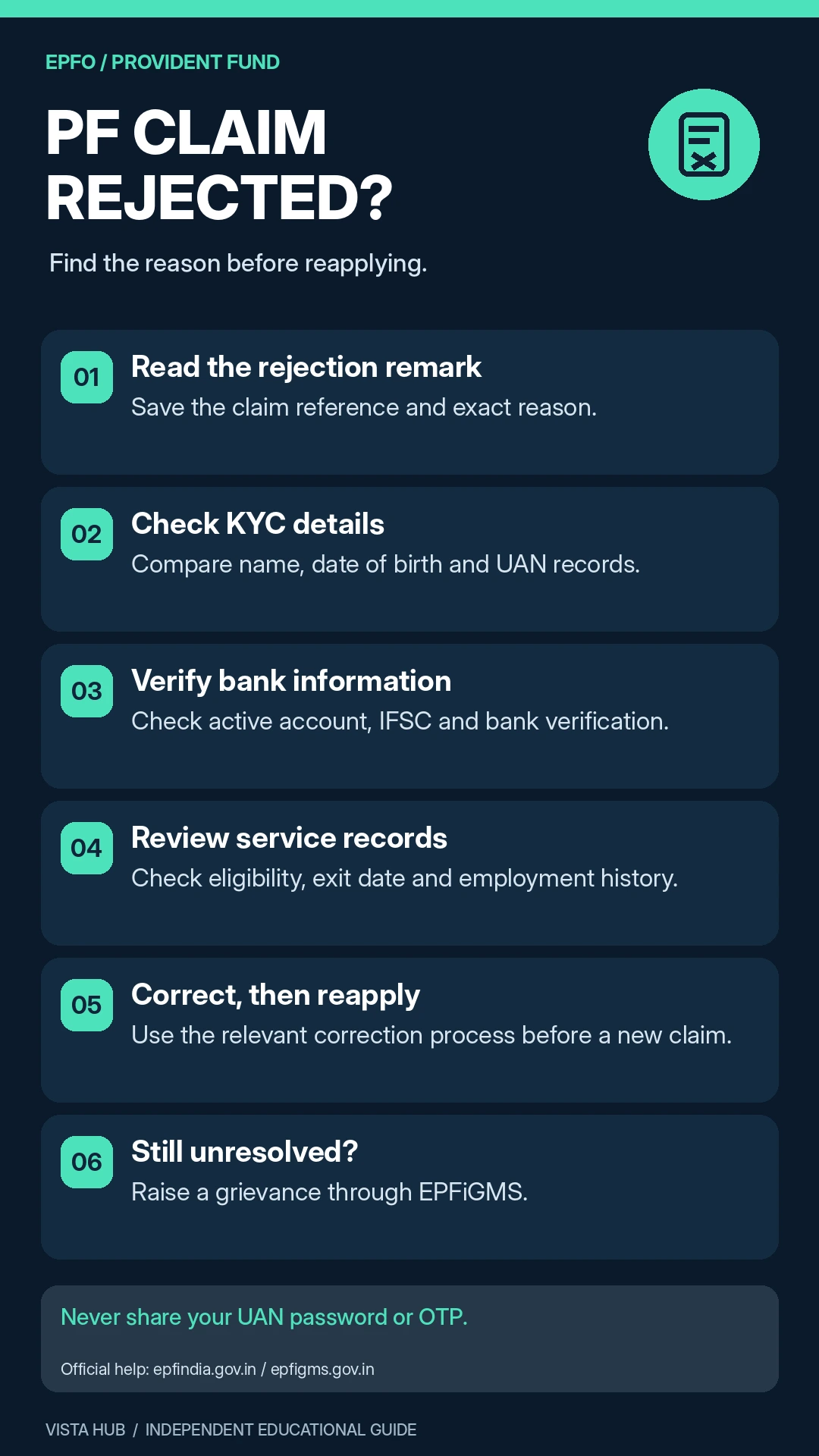
1. Check the exact EPFO claim rejection reason first
Visit the official EPFO website and follow the member services links to the member passbook and claim status or the UAN member portal. Use your own credentials. Locate the rejected request and record its submission date, claim identifier, claim category and exact remarks. The labels and screens may change as EPFO upgrades its systems. Do not rely on an old screenshot of a menu.
Separate a rejected final withdrawal from a rejected transfer, advance or pension request. Form 19 generally concerns final EPF settlement, Form 31 concerns eligible advances and Form 10C concerns eligible EPS withdrawal benefit or scheme certificate. A transfer moves eligible accumulations between employment records rather than paying them into your bank account. Each has its own eligibility conditions. A solution that works for a transfer may be irrelevant to a medical advance.
Save a private copy of the message. If the status just says rejected without a useful explanation, ask EPFO for the specific defect and the record or document requiring correction. Repeatedly submitting the identical claim without finding the defect is unlikely to help.
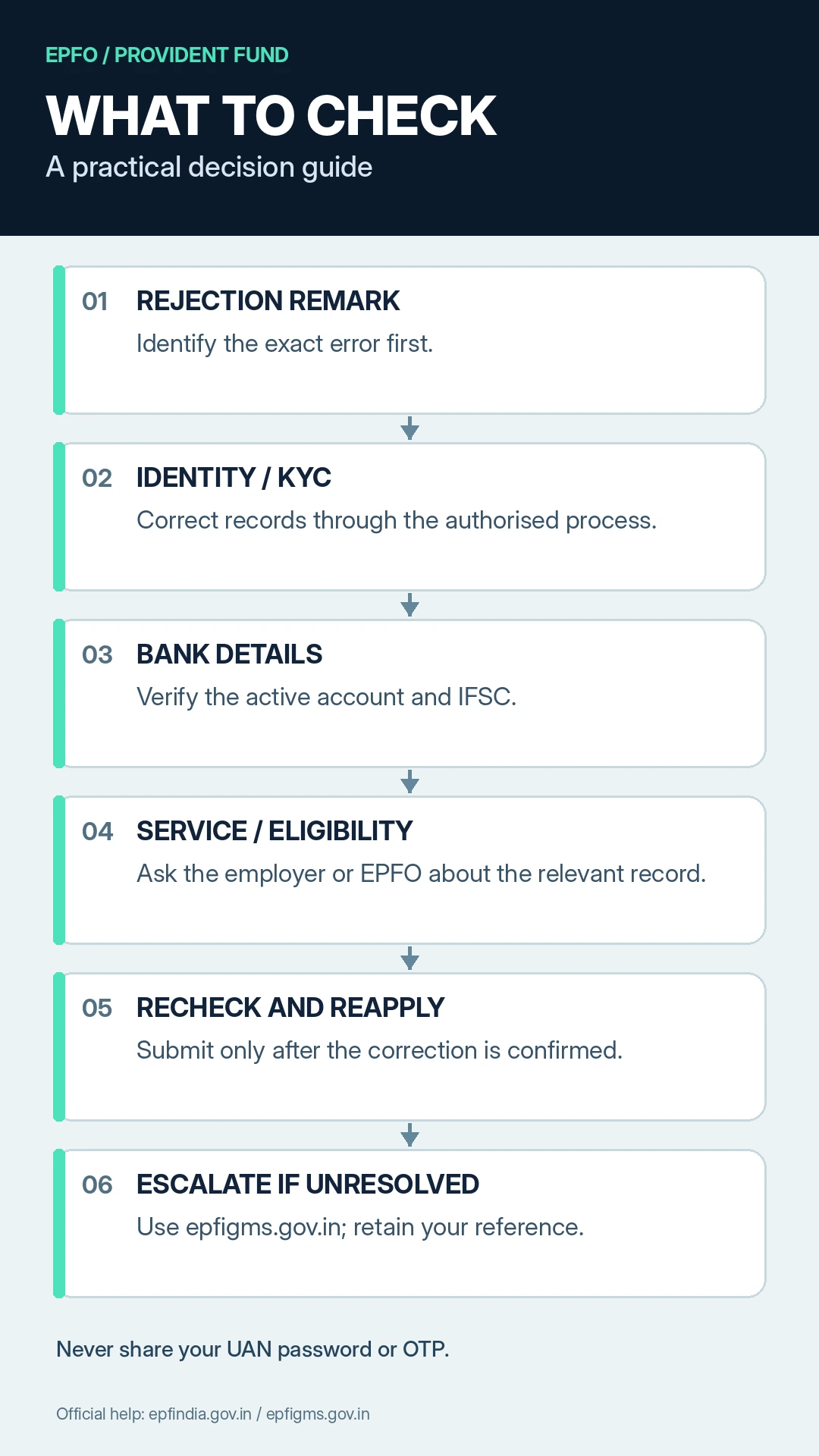
2. EPFO rejection message directory: what to check
| Remark or symptom (illustrative wording) | Record to check | Next action |
|---|---|---|
| Name mismatch or demographic discrepancy | UAN profile, Aadhaar and relevant employment records | Identify the incorrect record and use the applicable correction procedure. |
| Bank details incorrect or verification failed | Account holder name, account status and IFSC | Confirm details with bank and complete the available EPFO verification process. |
| Date of exit missing or incorrect | Service history and actual last employment date | Use the permitted member or employer correction route. |
| Discrepancies found | Claim remark, service records and claim documents | Request a precise explanation if the remark does not identify the defect. |
| Unable to verify establishment | Employer and establishment details | Ask employer and EPFO which employment record or verification needs attention. |
| Insufficient balance or not eligible | Passbook, claim category and applicable eligibility | Check the actual rule before applying again. |
These are troubleshooting categories, not an official exhaustive EPFO error-code dictionary. The same words may be used for different problems. The case officer’s specific finding matters more than the generic label.
3. UAN, Aadhaar and KYC mismatch: fix the correct record
Compare your name, date of birth and other relevant identity details in the UAN profile with the supporting documents accepted by EPFO. A spelling variation, expanded initial or different surname can create a verification problem. Do not assume that Aadhaar must always be changed. If Aadhaar is correct and the employment record contains a typing mistake, seek correction of the employment record instead.
Check whether Aadhaar is linked and the KYC entry has completed the verification required by the current portal. A saved entry is not necessarily a verified entry. Where the member portal permits a profile correction directly, follow that option. Where employer or EPFO verification is required, use the prescribed process and submit genuine supporting records. Requirements depend on the field and the available service; avoid copying outdated claims about mandatory joint declarations for every correction.
A father or spouse name discrepancy can also affect service verification. Compare the actual documents and ask the relevant employer or EPFO office which evidence is needed. Do not invent a matching name just to get an online claim accepted. If you have two UANs, do not create a third one. Ask EPFO about consolidating the service records through the authorised route. Refer to the member guidance available through the EPFO website.
4. Bank verification failures and missing exit date
Confirm with your bank that the account is active, belongs to you and can receive credits. Check the current IFSC, particularly if a branch was merged or relocated. A dormant or closed account cannot be fixed by merely uploading the same details again. If the bank’s records themselves contain an error, resolve it with the bank. After correcting details, check the verification status in EPFO before resubmitting. Never use an account belonging to a friend or an intermediary for convenience.
Next inspect the service history. A final settlement may require accurate exit information and satisfaction of the applicable withdrawal conditions. A missing exit date, an incorrect date of joining or incomplete employer records may prevent processing. If the portal offers an eligible member exit-marking option, use it only with truthful details. If the record is incorrect or the option is unavailable, contact the employer or concerned EPFO office. Do not enter an arbitrary exit date to bypass a validation error.
For transfer disputes, list previous and current member IDs and check whether the old employment period appears. A transfer record and a withdrawal record are different; avoid filing a withdrawal simply because a transfer is rejected. Check whether the employer or field office has asked for additional service verification.
5. Claim eligibility, balance and settlement problems
A member can have a visible PF balance and still be ineligible for a particular advance or pension benefit. The purpose of withdrawal, service period, current employment status and the applicable scheme conditions can matter. The EPF balance and EPS service record are not interchangeable. Do not assume that a displayed pension contribution represents an amount that can be withdrawn on demand.
If a claim is marked settled but the money has not arrived, treat that as a payment-tracing issue rather than a rejected-claim issue. Compare the settlement date with your bank statement, check whether the account details were correct, and request a payment reference or information about a returned credit. Do not submit a second final withdrawal without clarifying the status of the first.
Illustrative case: a worker changes jobs, leaves the old employer’s exit date unresolved and requests final withdrawal. If the rejection relates to service history, editing the bank IFSC will not solve it. The worker should first verify the actual employment status and whether a transfer or withdrawal is appropriate.
6. Resubmit only after correction: a practical checklist
- Keep the original rejection reason and claim reference.
- Confirm the claim category and eligibility.
- Correct the source record through the bank, employer, UIDAI or EPFO, as applicable.
- Check that the corrected details are visible and verified where required.
- Submit the appropriate claim through the authorised portal or office.
- Save the fresh acknowledgement and track the new claim separately.
If the employer is unavailable or refuses to cooperate, record your attempts to contact it and raise an EPFO grievance requesting the appropriate alternate process. The solution depends on the establishment and record involved. There is no universal method for bypassing verification. Keep copies of salary slips, service documents and earlier correspondence where relevant.
7. EPFiGMS grievance: what to write
Use the official EPFiGMS grievance portal for unresolved EPFO claim or record issues. Select the applicable grievance category, enter the required details and attach relevant evidence through the secure portal. Keep the registration number. If the grievance answer is unclear, follow up using the available status and reminder options rather than making multiple unrelated complaints.
Subject: Request for clarification and correction of rejected EPF claim. My claim reference is [reference], submitted on [date] under [claim category]. The status shows [exact rejection remark]. I have checked [records] and taken [correction steps]. Please identify the specific outstanding defect and advise the authorised correction or resubmission procedure. Relevant evidence is attached through the official channel.
Never post your full UAN, Aadhaar, bank account number, OTP or password in a public forum. EPFO warns members not to share personal credentials or pay money in response to unsolicited calls. If someone claims to guarantee approval for a fee, verify the claim with EPFO instead.
Frequently asked questions
Can I submit the same PF claim again after rejection?
Generally a fresh eligible request may be filed after resolving the reason for rejection. First check the actual claim status and outstanding requirements.
Does rejection mean the PF balance is gone?
No. A rejected application does not by itself extinguish your accumulated entitlement. Check the passbook and service record for any separate discrepancy.
Why does EPFO say discrepancies found without details?
The phrase alone does not establish the exact problem. Request the specific defect through EPFiGMS or the concerned field office.
Can I correct my father’s name by changing Aadhaar?
Not automatically. Determine which record is inaccurate and follow the applicable evidence-based correction procedure.
Do I need to pay an agent to get a rejected claim approved?
No agent can guarantee approval. Use official EPFO services and keep your credentials private.
Conclusion
Fix the defect, not just the application. Identify the claim type, compare the source records, complete the correction and track a new request only when appropriate. Official references: EPFO, EPFiGMS and UIDAI. This is general guidance, not an individual entitlement decision. Rules, portal features and evidence requirements may change.
Printable PDF resource
A4 assistance checklist or complaint template in Hindi and English. This is not an official government form.
Download PDF (Hindi + English)Related tools and guides: PFMS Payment Rejected? Scholarship Bank and NPCI Error Fixes
















Share Your Opinion
Comments are closed on this post.