PM Kisan money missing? Identify the actual problem first
A neighbour received an instalment, but your account did not. Repeating eKYC or submitting another application may not help. A bank cannot verify your land record, while a revenue official cannot repair a bank’s NPCI mapping. Start with your own status and choose the office responsible for the issue shown, rather than visiting every counter.
Record the details in Know Your Status
Type pmkisan.gov.in yourself and open Know Your Status from Farmers Corner. Use the registration number, captcha and OTP requested by the official screen. If needed, look for Know Your Registration Number. Authentication steps and screen labels can change; follow the current instructions.
Record the dated results for eKYC, land seeding, Aadhaar/bank seeding and the relevant instalment’s payment information. A Yes in one field does not clear every other check. A new application’s verification status is also different from an existing beneficiary’s payment status.
Preserve available Account Credited, Bank Name, UTR and Credited on details. Hide Aadhaar, account, mobile and registration numbers in public screenshots. The table below gives general routing, not a promise that every screen uses identical wording.
| Status / issue | Where to check first | What to ask |
|---|---|---|
| Incomplete eKYC | Official portal/app or authorised CSC | Was verification completed? Obtain acknowledgement. |
| Land/state verification | PM-KISAN nodal/agriculture office; revenue office for wrong land record | Which entry or approval is pending? |
| Aadhaar bank seeding / NPCI | Bank branch or official mapping service | Confirm DBT mapping and account status. |
| Payment Failed | Bank or nodal officer according to rejection reason | Identify failure and correction reference. |
| Credited, but not found | Shown bank statement and branch | Trace transaction using UTR. |
When eKYC is incomplete
Official PM-KISAN procedures provide OTP, authorised-centre biometric and official-app face-authentication routes. The OTP-based Aadhaar process requires an active Aadhaar-linked mobile. Do not confuse a portal registered-mobile OTP with an Aadhaar OTP.
If OTPs do not arrive, check the number, network and message shown instead of repeatedly requesting codes. Ask an authorised CSC/State Seva Kendra about the biometric route or consult the official app’s supported option when the Aadhaar-linked mobile is unavailable. Do not install a verification APK sent over WhatsApp.
Keep the completion acknowledgement and check the resulting status. Obtain a receipt for any authorised service fee; do not pay a commission to ‘release’ an instalment. Completing eKYC does not automatically resolve unrelated pending checks.
Also read: PM Kisan eKYC OTP not arriving
Land seeding, state verification or an eligibility objection
For a land-seeding or verification issue, show the current status to the block/district PM-KISAN nodal officer or agriculture office. If the underlying land entry or mutation is wrong, the relevant state revenue office may need to correct it separately.
Carry the registration number, available land record, identification and any correction acknowledgement. Ask which field or verification is pending, who owns the action, and whether the correction has reached the PM-KISAN record. Correct paper records alone do not confirm that the portal has been updated.
If the record is marked ineligible, duplicate or subject to an exclusion, request the actual reason. Scheme family and exclusion rules apply; cultivating land does not automatically establish eligibility. If the objection is incorrect, seek review with supporting evidence. Do not try to bypass it with a second identity or duplicate registration.
Aadhaar bank seeding says No, but the bank says Aadhaar is linked
An Aadhaar number held in the bank’s customer record and effective NPCI mapping for DBT require distinct checks. Ask the branch to confirm current seeding, NPCI mapping, the mapped bank and any rejection.
NPCI’s official Consumer → Bharat Aadhaar Seeding Enabler (BASE) route offers mapping-related services. Follow its current availability and authentication instructions. Use official bank/UIDAI channels where appropriate, rather than unknown ‘DBT check’ pages.
If mapping points to another bank, check that bank’s statement too. For a closed, inactive or restricted account, ask the bank for the actual reason and required corrective process. Keep the request reference and confirm successful completion.
FACT: eKYC, land verification and bank/NPCI mapping are separate actions. Recheck the remaining fields after any correction. One Yes does not guarantee immediate credit or approval of every earlier instalment.
Payment Failed, Pending or credited but not visible
For Payment Failed, record any rejection reason and transaction reference. Route an account/bank failure to the bank and a scheme-record or eligibility issue to the nodal officer. ‘Money did not come’ alone leaves the responsible check unclear.
A Pending or FTO/payment-processing message is not proof of final bank credit. Track the relevant instalment and raise an official grievance when clarification is needed. Do not create a fresh registration simply because processing is incomplete.
If Account Credited appears but there is no SMS, check the passbook or statement. Give the bank the credit date, bank name and UTR and ask it to trace the transaction. Check the Aadhaar-mapped bank instead of assuming the payment must use your preferred old account.
If the credit arrived and a separate debit or recovery followed, distinguish the entries in your statement. That is a separate banking question and should not automatically be described as a PM-KISAN payment never being sent.
Submit a useful grievance and keep its reference
Use the current Helpdesk/Grievance option on the PM-KISAN portal. State the actual status and relevant period, complete the requested verification, and retain the acknowledgement. Follow up through the complaint-status facility.
Obtain block, district or state nodal details from the official portal. Avoid stale WhatsApp contact lists. If the matter remains unresolved, send earlier references and the outstanding issue to the higher nodal level or appropriate department through CPGRAMS.
Suggested wording: ‘My PM-KISAN registration is [number]. On [date], the status showed [exact message]. Payment for [instalment/period] has not been received. I requested correction from [bank/office] on [date], reference [number]. Please identify the pending reason, responsible authority and next required step, and process the case according to eligibility.’
This is a suggested message, not a prescribed government form. Provide required information in the official submission, but never post full Aadhaar, bank details or OTPs publicly. Mask unnecessary personal data on copies shared elsewhere.
Advice and FAQs: what happens after correction?
Do not rely on an agent’s promise of payment within 24 hours. Accepted correction, eligibility validation and payment processing are separate stages. Ask whether the correction has been accepted and what action remains.
Should I register again each time? No. Resolve the existing record first; duplicate records can complicate matters.
Why is payment missing when eKYC says Yes? Land, mapping, eligibility or payment checks may still be pending. Review each field.
Will every earlier instalment definitely be paid? No universal promise is possible. Request an explanation of arrears against eligibility for the relevant periods.
Does missing SMS prove there was no payment? No. Check the bank statement/passbook and the portal’s relevant payment entry.
Does a portal error mean rejection? No. Network problems or temporary service outages can also prevent access. Retry later or use official assistance.
Official links and verification date
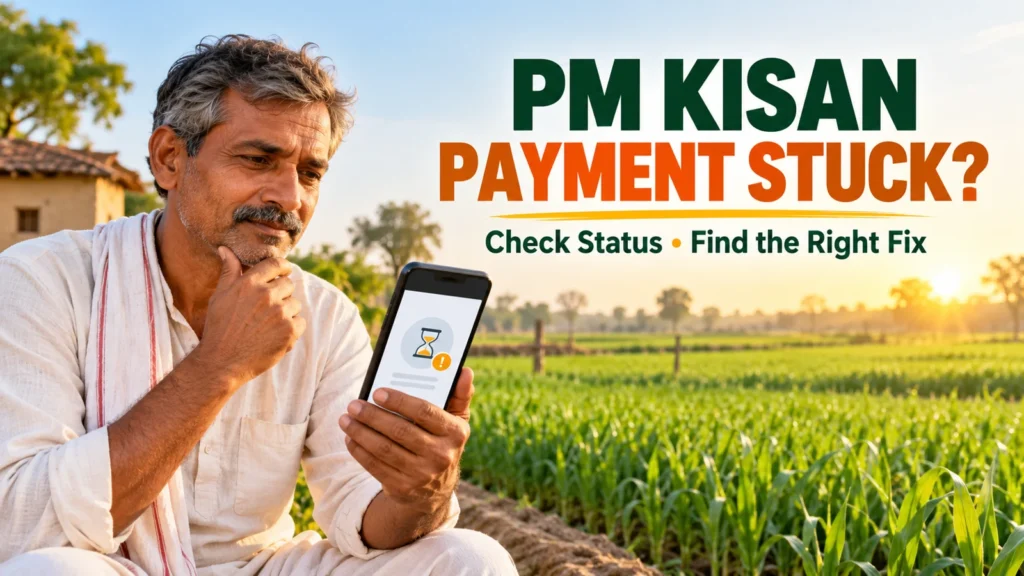
Checked on 22 October 2026. This general status-based guide does not announce a new instalment release date. No individual beneficiary record was accessed for this article. Authorised departments determine eligibility and corrections. The feature image is a conceptual AI illustration.
PM-KISAN: Grievance Query Form