 Vista
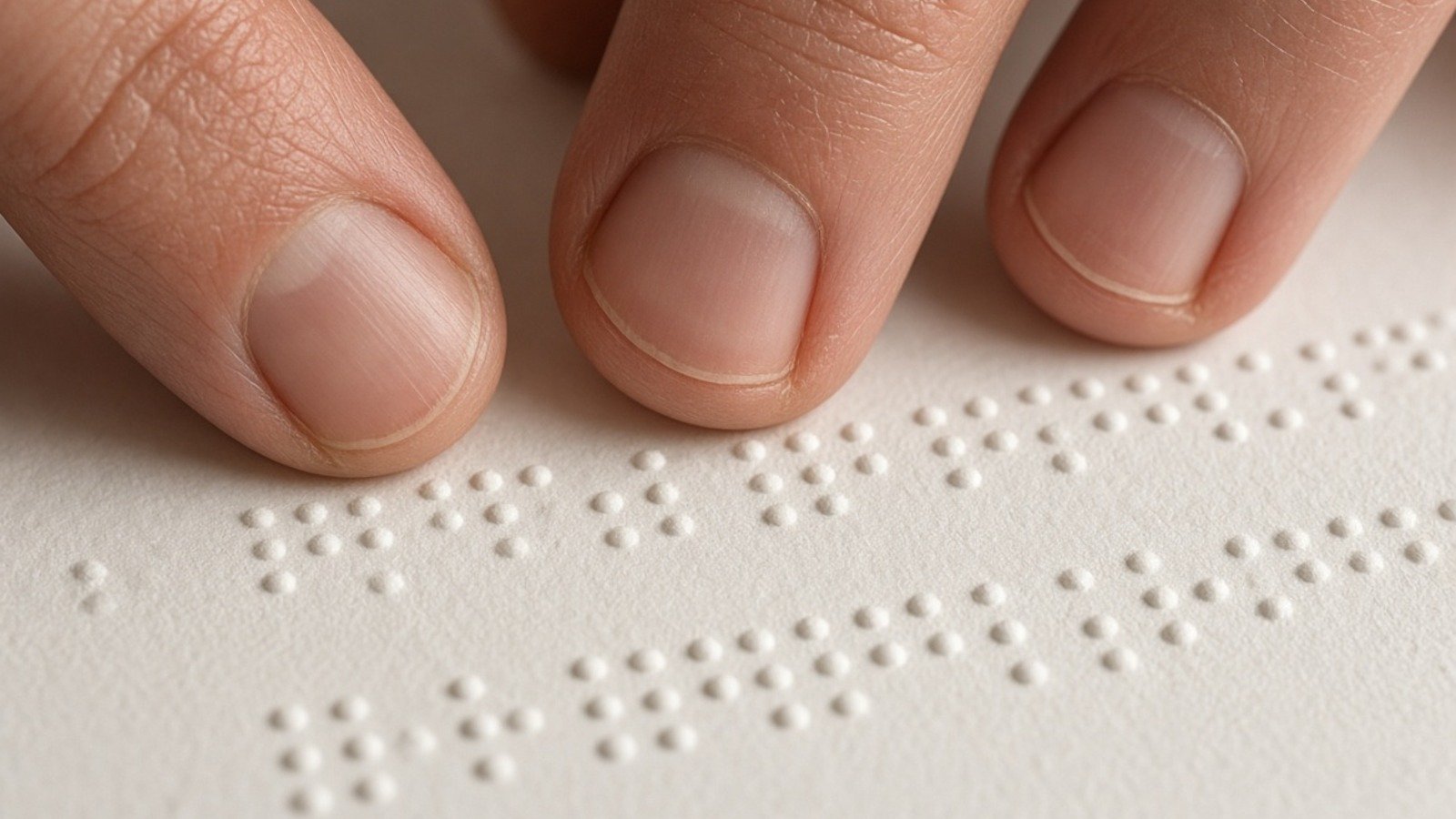
Quick answer: A Braille alphabet chart explains how letters, numbers and punctuation are represented by patterns of raised dots that can be read by touch. The familiar six-dot cell has two columns of three positions. English readers commonly use Unified English Braille (UEB), while readers of Hindi and several other Indian languages use standardized Bharati Braille rules. They are related tactile writing systems, but you should not assume that one English chart transcribes every Hindi word correctly.
Updated: 21 November 2026.
How the six-dot Braille cell works
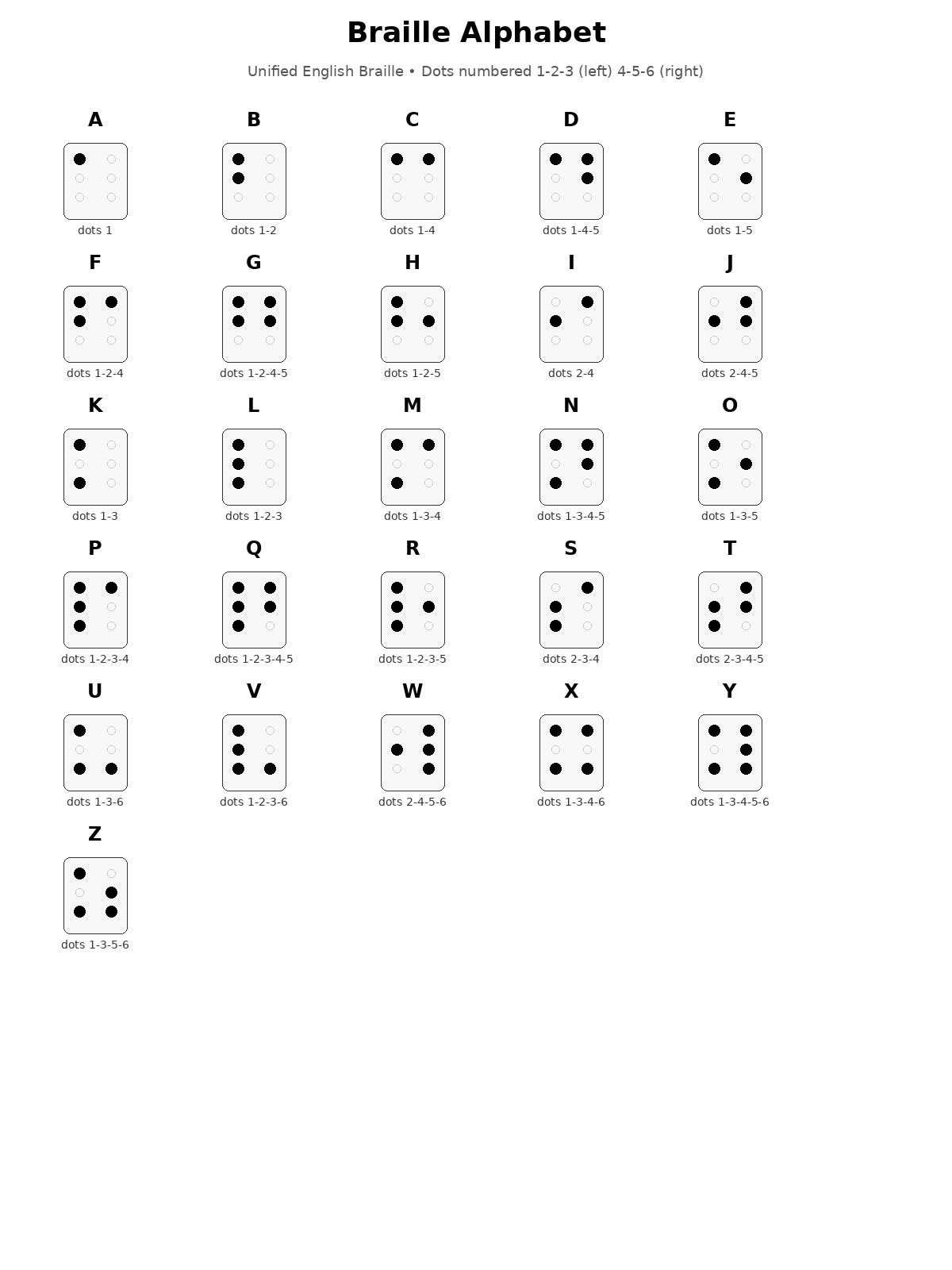
Picture a rectangle with three dots on the left and three on the right. Counting down the left column gives positions 1, 2 and 3; the right column is 4, 5 and 6. Each character uses a combination of raised dots, and dots not included in a character remain flat. For example, the English letter A uses dot 1, B uses dots 1 and 2, and C uses dots 1 and 4. Changing the position changes the character. A standard six-position cell can form 64 combinations including the blank cell.
A visual Braille font on a screen shows what a dot pattern looks like, but it does not reproduce the height, spacing or feel of properly embossed Braille. This matters for a tactile learner: paper printed with black circles is not the same as accessible raised-dot text. Students can practise reading a chart visually, while anyone producing learning materials for blind readers should use a tested Braille embosser, verified conversion workflow and trained review. Correct dot spacing is a functional accessibility requirement, not just design.
English Braille alphabet A to Z with dot numbers
In uncontracted English Braille, each alphabet letter has a base cell. The first ten letters, A through J, provide a pattern that helps beginners recognise the later groups. K through T extend many of these shapes with dot 3, while subsequent patterns add other positions. The W character has a historical placement unlike the straightforward sequence; it is still a normal letter and should not be omitted from charts. A helpful chart places the print letter, raised-dot pattern and numeric dot positions together.
The list below uses the numbered six-dot positions rather than relying on a possibly distorted AI drawing. Read one cell at a time and compare the pattern with the embossed version. Lowercase print letters can be represented by the base cells in simple uncontracted text; capitalization requires a separate indicator in UEB. A word in contracted literary Braille may use shorter combinations or special rules. Therefore a basic A–Z table is a starting point, not a complete transcription guide for every book, website or mathematics expression.
Six-dot positions for English A–Z (UEB)
| Letter | Dot positions | Letter | Dot positions |
|---|---|---|---|
| A | 1 | N | 1345 |
| B | 12 | O | 135 |
| C | 14 | P | 1234 |
| D | 145 | Q | 12345 |
| E | 15 | R | 1235 |
| F | 124 | S | 234 |
| G | 1245 | T | 2345 |
| H | 125 | U | 136 |
| I | 24 | V | 1236 |
| J | 245 | W | 2456 |
| K | 13 | X | 1346 |
| L | 123 | Y | 13456 |
| M | 134 | Z | 1356 |
This table shows uncontracted English letter positions, not the complete Bharati Braille chart.
Braille numbers 0–9 and the number indicator
In many ordinary UEB contexts, the digits 1 through 9 and 0 use the same basic dot patterns as letters A through I and J, but a numeric indicator changes their interpretation. The standard numeric indicator uses dots 3-4-5-6. Thus a novice should not assume that a standalone dot pattern that looks like A always means the number 1: its surrounding indicators and context decide how it is read. Numeric mode continues or ends under particular UEB rules; punctuation and spaces can affect it.
This is why a poster that simply prints A=1, B=2 and so on without showing numeric mode is incomplete. In a date, price or telephone number, the conventions must be applied consistently. Mathematical notation requires still more knowledge, and some educational settings use specialised Braille codes. When creating a tactile worksheet, test the entire sequence with a Braille reader rather than verifying only the isolated character cells. A properly described chart can show the relationship without encouraging someone to treat numbers and letters as interchangeable.
Punctuation, capital letters and special indicators
UEB has its own punctuation cells and indicators. A comma, full stop, question mark, apostrophe and quotation marks should not be reconstructed from visual resemblance to their print shapes. Capitalization is signalled with a dot-6 indicator in relevant contexts, while sequences of capitals have additional rules. The meaning of a symbol can depend on the surrounding text and mode. An English Braille chart that shows ‘the alphabet’ but no indicators is a simple introduction rather than a complete Braille codebook.
Punctuation rules matter for reading real messages. A question mark is not merely a decorative shape at the end of a line: a tactile reader uses it to interpret meaning, just as a print reader does. UEB also covers symbols useful in mathematics and computing. Different rule editions and educational arrangements may require careful transcription. Rather than inventing a universal list for every language, consult the International Council on English Braille’s current rulebook and the Braille Authority of North America’s guidance when preparing accessible documents.
Bharati Braille: Hindi and Indian-language reading
Bharati Braille is a standardized tactile approach used across multiple Indian languages, with rules developed to correspond to each language’s writing system. The National Institute for Empowerment of Persons with Visual Disabilities (NIEPVD) publishes official manuals and standardized mappings. Its Bharati Braille 2.1 publication dated 20 July 2026 updates and validates Unicode-mapped rules for thirteen Indian languages across nine print scripts. The 2025 Standard Bharati Braille Codes remain an important earlier reference.
Hindi uses Devanagari letters, vowels, vowel signs, consonants and combinations that cannot be represented adequately by casually matching the Latin A–Z chart. English UEB and Indian-language Bharati Braille are not interchangeable one-to-one. For example, a visually attractive Latin chart does not tell a student how to encode every Hindi matra or conjunct. When the target is Hindi literacy, use the exact official Hindi chart and translation instructions from NIEPVD. A proper educational post should distinguish the shared idea of dot cells from the different linguistic and transcription rules.
Braille alphabet practice for students and teachers
Begin with a tactile six-dot cell model, numbering the positions 1 to 6. Learn the first ten uncontracted English letters, then compare the subsequent letter groups. Try short, familiar words rather than memorising an entire chart in one session. Next learn how the numeric indicator changes the reading of A–J patterns in an appropriate numeric context. Only after that add capitals and common punctuation. For Hindi students, replace the English sequence with a Bharati Braille teaching plan approved for the relevant language.
Teachers should ask students which medium is accessible to them. Some learners need a tactile board and embosser; others benefit from large print, screen-reader support, high-contrast instruction or audio explanation. A chart viewed on a phone is mainly useful for sighted peers, families and teachers unless the learner has suitable assistive technology. Braille literacy should not be reduced to a picture of dots. Materials should be checked with readers who actually use Braille and should respect the language, age and learning objectives of the student.
How to use a printable Braille chart without errors
Before saving a printable alphabet poster, verify that each cell has exactly the intended dot positions. Check A, B, C, W and Z carefully, as model-generated illustrations sometimes mirror columns or add extra dots. Do not enlarge or shrink a tactile embossing template without checking dot-spacing specifications. The dimensions of a normal decorative printout and an accessible physical Braille page are different design problems. If an AI poster looks suspicious, its value is illustrative, not authoritative.
Place reliable alt text on online images so a screen reader can explain the subject. Instead of ‘image of dots,’ describe that the chart compares A–Z cells with numbered dot positions and includes numeric and punctuation conventions. Text adjacent to the chart should repeat the critical rules; readers must not depend exclusively on an image. If you share a PDF for a school project, test whether the textual content is accessible and whether symbols copy correctly. A good reference teaches the system while acknowledging that accurate tactile material requires proper production.
Common myths and practical accessibility questions
Myth: Braille is a single alphabet that can be swapped directly across all languages. Fact: many Braille systems share cell mechanics but follow language-specific codes. Myth: a paper graphic printed with dots can be read by touch. Fact: tactile dots need controlled embossing. Myth: English alphabet cells automatically give a complete mathematics code. Fact: technical transcription has additional rules. Myth: Braille is obsolete because speech software exists. Fact: tactile literacy remains valuable for spelling, independent reading and many learning needs.
A supportive classroom can make ordinary materials more accessible without treating blindness as a limitation on curiosity. Offer spoken descriptions of diagrams, structured headings and keyboard-friendly documents. Ensure an electronic resource works with assistive technology. Where a printed visual diagram contains a likely transcription error, correct it before producing tactile copies. The safest approach is to check authoritative codebooks, invite a skilled Braille reader to review examples and keep the learning objectives clear.
Frequently asked questions
How many dots are in a standard Braille cell?
Six positions, arranged in two columns of three; some specialised systems use additional positions.
Does Braille use the same characters for numbers and letters?
In UEB, number mode uses a numeric indicator and A–J base cells for the digits; context and rules matter.
Is English UEB the same as Hindi Bharati Braille?
No. They share tactile principles but use language-specific mappings and transcription rules.
Can a printed Braille chart be read by touch?
Ordinary ink circles are not raised tactile Braille. Accessible tactile material needs proper embossing or another tactile production method.
What is Bharati Braille 2.1?
A NIEPVD publication dated July 2026 that refines Unicode-mapped Indian-language Braille rules.
Conclusion
The alphabet chart is a useful starting point. Read dot positions precisely, understand numeric and capital indicators, and use language-specific official codebooks before preparing accessible tactile material.
Official sources
- International Council on English Braille — UEB Rules
- NIEPVD — Bharati Braille 2.1 and 2025 Standard Codes
- Braille Authority of North America — UEB resources
This chart is a visual teaching aid, not a certified Braille transcription or embossed accessibility output.















Share Your Opinion
Comments are closed on this post.