 Vista

Ever opened an old government form, court paper or typed notes and seen "Hkkjr" instead of the Hindi word for Bharat? That is not a virus or a bug. It is the effect of a legacy Hindi font such as DevLys. This guide explains the problem, how to convert DevLys text to Unicode, and what to watch for.
What DevLys is and why the text looks strange
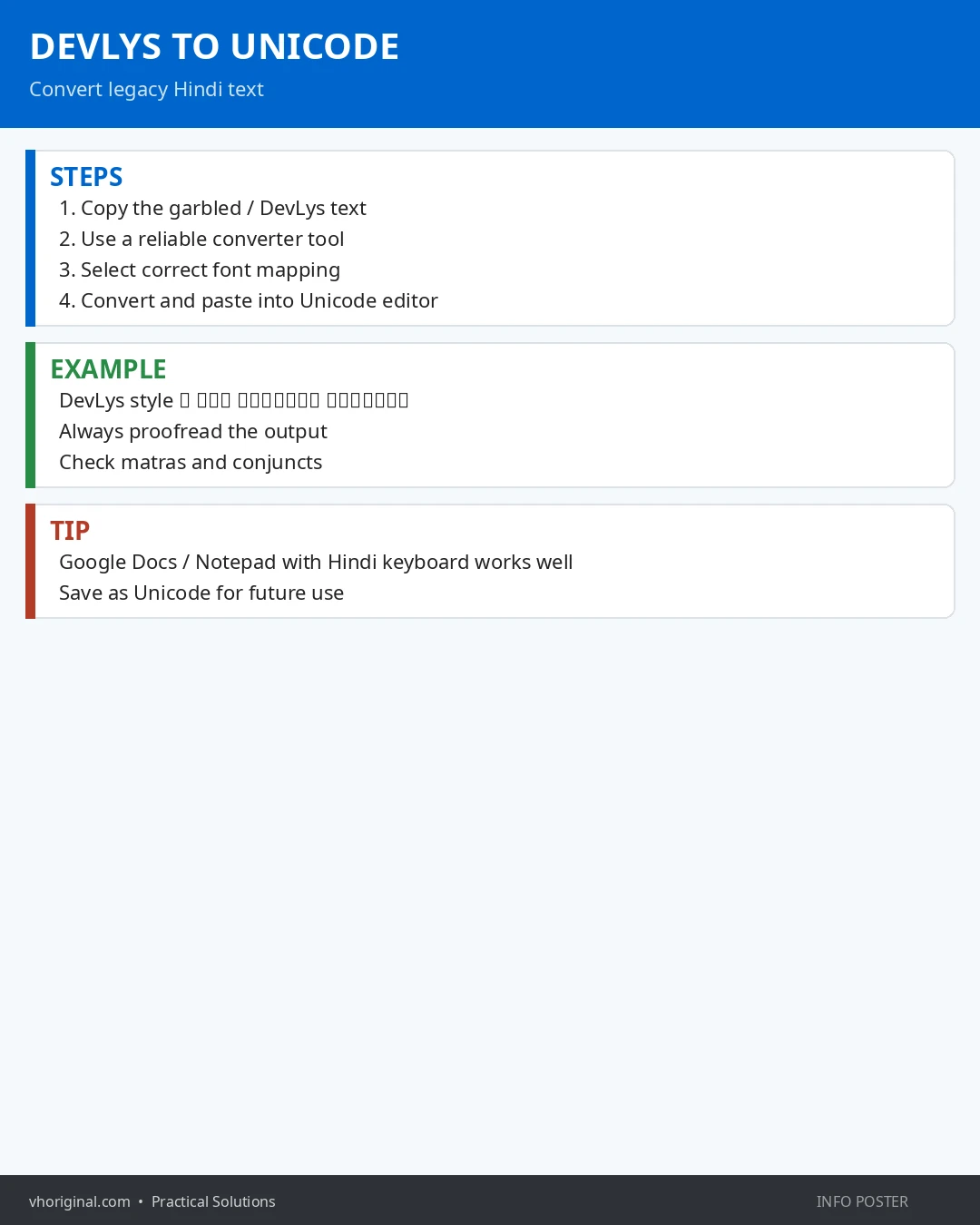
DevLys 010 is an older Hindi font widely used in government offices, courts and typing tests. It is non-Unicode. Instead of storing real Devanagari characters, it stores English keyboard characters and displays them with Hindi-shaped glyphs. Without that font installed, the text appears as strings like "Hkkjr". Unicode stores real Hindi characters, so it works in search, websites, phones and apps.
| Point | DevLys / Kruti Dev (legacy) | Unicode (such as Mangal) |
|---|---|---|
| How text is stored | Codes of English letters | Real Devanagari characters |
| Without the font | Garbled letters appear | Hindi shows correctly |
| Google search and websites | Cannot be read properly | Works well |
| Mobile and WhatsApp | Often breaks | Works fine |
How to convert DevLys to Unicode, step by step
- Open the file with the DevLys text and copy only the part you want to convert.
- Open a converter tool and paste the text into the left box.
- Click Convert and read the Unicode Hindi in the right box.
- Check the output in Mangal or Nirmala UI and fix small errors by hand.
- Once it looks right, use it in Word, on a website or in an app.
You can use our Kruti Dev to Unicode converter and the reverse Unicode to Kruti Dev converter directly.
How DevLys relates to Kruti Dev
Several converter sites say the DevLys 010 and Kruti Dev 010 character maps are essentially the same, so one converter can handle both. They describe DevLys 040 as having a slightly different map, and Rajasthan government work also uses a separate font called Rajkaj. So if the result looks wrong, your font may be a different variant. Convert one short sentence first, then the whole document. Do not accept any tool's "100% accurate" claim at face value.
What to check after converting
- That conjuncts and the forms of the letter ra are joined correctly
- That short and long i vowel signs sit in the right place
- That numbers, punctuation and spacing are intact
- That names, dates and amounts match the original paper
Remember that a converter changes encoding only. It does not fix spelling or translate.
What if the PDF uses DevLys?
Many government PDFs give "Hkkjr"-like text when copied. That is also a legacy font issue. Copy the text and paste it into the converter. If the PDF is just a scanned picture, nothing will copy and you need OCR instead. Our Hindi PDF Text Cleanup tool helps with this kind of work.
Preparing for a typing test
Some government exams ask for Kruti Dev or DevLys typing and others for Unicode. One guide notes that tests like Madhya Pradesh's CPCT use Unicode-based Remington Gail and generally do not accept legacy Kruti Dev for final output. Your exam may differ, so follow the official notification or admit card. To learn layouts, see our Hindi typing keyboard layout chart.
Common mistakes
- Trying to display converted text again in DevLys
- Feeding a scanned image PDF straight into a converter
- Publishing a full document online without checking it
- Running a 010 converter on DevLys 040 or Rajkaj text
FAQ
How do I convert DevLys to Unicode?
Copy the DevLys text, paste it into a converter's left box, click Convert and copy the Unicode Hindi from the right box.
Are DevLys and Kruti Dev the same?
Many tools describe the 010 versions as having the same map, but not all variants match. Test a short sample first.
Why does copying from a PDF give strange letters?
The PDF uses a legacy font. The copied text needs a converter.
Why do some conversions contain errors?
Conjuncts, ra forms and font variants can cause small mistakes. Always review the output.
Which font should a website use?
Unicode, such as Mangal or Nirmala UI, because search engines and phones read it correctly.
This is general guidance. For exam fonts and typing rules, check your recruiting agency's official notification.
Also read: How to Convert a Scanned Hindi PDF to Editable Text with OCR (Free and Easy Methods) | CPCT Hindi Typing Test Practice: Remington Gail vs InScript, Speed Needed, Test Pattern and a Practice Plan
Sources
- Wikipedia: Kruti Dev (non-Unicode Devanagari font)
- Docset.in: Devlys and Kruti Dev font converter information
- Edesy and Unicodetoxx: Kruti Dev and Unicode converter descriptions
- Krutidev01 guide: ASCII versus Unicode and CPCT note























Share Your Opinion
Comments are closed on this post.