 Vista

When people fill government recruitment forms, the trouble is often not eligibility but the upload step: “File size must be between 20KB and 50KB”, “Signature 10KB to 20KB”. Many people run to a cyber cafe and pay for something that can be done on a phone in a few minutes.
This post explains the rules behind photo and signature sizes, the sizes commonly asked in SSC exams, what to check for RRB and state-level exams such as MP ESB, and how to bring an image down to 20KB or 50KB without ruining its quality.
The four things every form checks
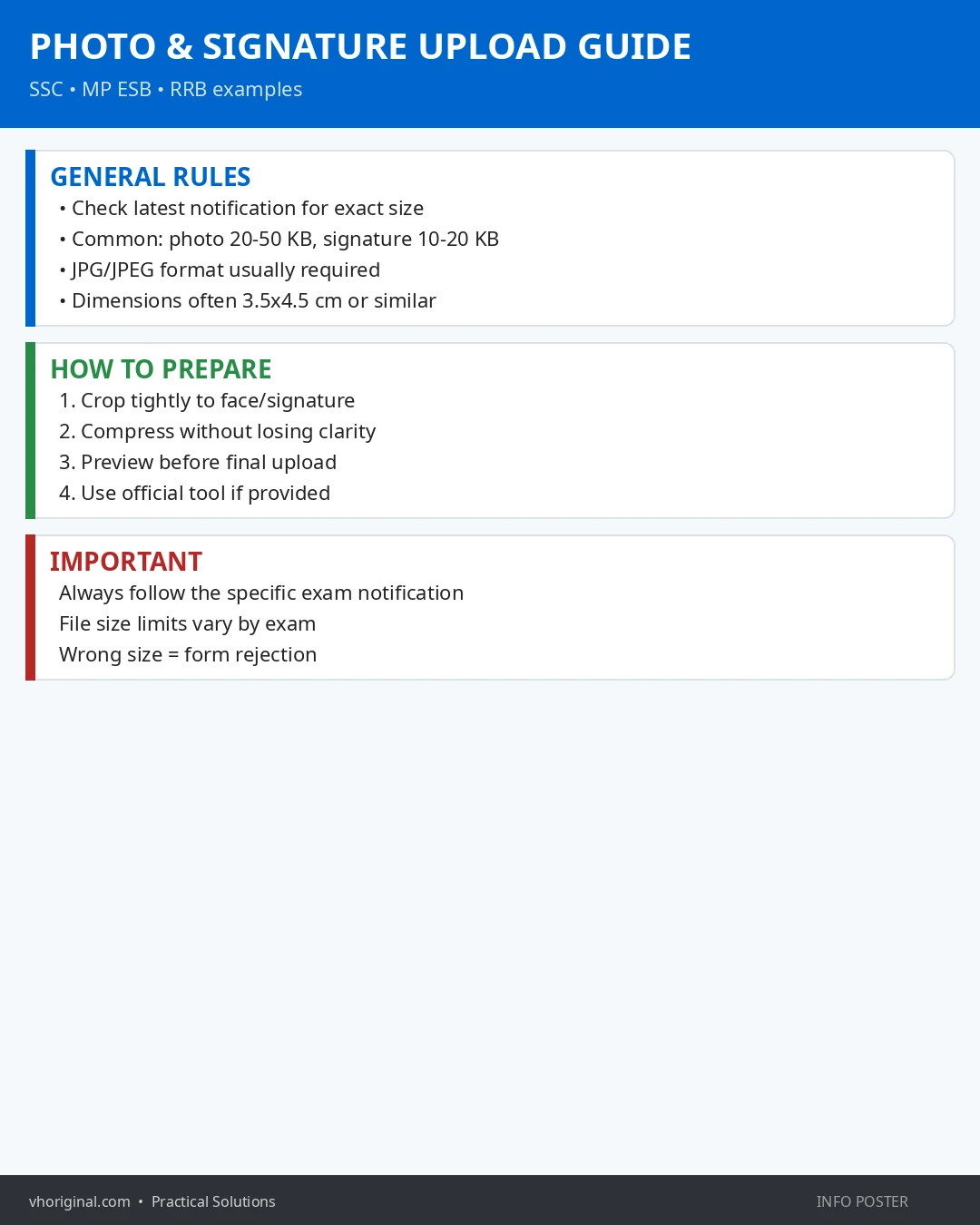
Most people look only at file size, but forms usually ask for four things together. Missing even one can fail the upload:
- Dimensions: width × height in centimetres or pixels.
- File size (KB): a minimum and a maximum.
- Format: mostly JPEG or JPG. PNG or HEIC are often rejected.
- Quality rules: white or light background, clear face, no glasses or cap, signature in black or dark blue ink.
Commonly asked sizes for SSC exams (chart)
| Document | Dimensions | File size | Format |
|---|---|---|---|
| Photograph | 3.5 cm (width) × 4.5 cm (height) | 20KB to 50KB | JPEG/JPG |
| Signature | About 4 × 2 cm (some notices say 6 × 2 cm) | 10KB to 20KB | JPEG/JPG |
Note: the signature dimensions are written differently across SSC exams (CGL, CHSL, GD, MTS and others), so always follow the official notice for your own exam. In some recent recruitments the photograph is captured live during the application instead of being uploaded from a file, which the notice will state.
RRB, state exams and others
Railway Recruitment Boards, banking exams and state selection boards such as MP ESB set sizes per recruitment. Some ask for photos of 20KB to 50KB, some allow 10KB to 200KB, and some go up to 300KB. So do not assume one exam’s size applies to another. For each form, check:
- The photo and signature section of the notification or “Instructions to candidates”.
- Which files are needed: photo, signature, thumb impression or declaration.
- Whether your name or the date must appear on the photo.
How to take a good photograph
- Stand in daylight in front of a white or light wall.
- Look straight at the camera, with no shadows or flash glare on the face.
- No glasses, cap or mask unless the form allows it.
- Use a recent photo. Many notices reject photos older than three months.
- Do not use a selfie or a photo received on WhatsApp, because its quality has already dropped.
How to make a good signature file
- Sign fully on white paper with a black or dark blue ballpoint pen, not just initials.
- Avoid gel pens or thick markers; they bleed and scan badly.
- Keep the signature horizontal and make sure it is not cut at the edges.
- Use the signature that matches your ID or hall ticket. In some recruitments a mismatch can lead to disqualification.
Step by step: bring a photo down to 20KB or 50KB
- Take or scan the photo. A phone photo can be several MB, but it can be reduced.
- Crop. Crop to the ratio the form asks for, such as 3.5:4.5, with the face filling most of the frame.
- Resize. Set the required dimensions in pixels or centimetres.
- Compress. Choose your target size (for example 50KB) and reduce the file. Our image compressor to 20KB, 50KB or 100KB does this in the browser.
- Make the signature separately. Use our signature resize tool for 140×60 pixels and under 20KB.
- Check file size. Look at the file properties and make sure the size is within the minimum and maximum.
- Preview before uploading. Make sure the photo is not blurred and the signature is not cut off.
“Too small” or “too large” after compressing
Many forms set a minimum as well, such as 20KB for a photo. If compression pushes the file below that, the upload can fail. In that case increase quality slightly and save again. If the file is still above 50KB, reduce quality or the pixel count a little. A very thin signature breaks up when compressed, so use a slightly bolder pen.
Preparing all form documents together
When a form needs a photo, signature, thumb impression and declaration, preparing them in one place is easier. Our form document pack tool packs everything into a single ZIP. If you are applying for several exams, keep each exam’s files in a separate folder so the wrong file is never uploaded.
Why uploads fail (chart)
| Error | Cause | Fix |
|---|---|---|
| Invalid file format | File is PNG, HEIC or PDF | Save as JPEG/JPG |
| File size too large | Above the maximum | Compress to the target KB |
| File size too small | Over-compressed | Save again with higher quality |
| Invalid dimensions | Wrong cm or pixel size | Crop and resize to the required ratio |
| Photo rejected | Glasses, shadows, old photo or busy background | Take a new photo against a white wall |
Safety tips
- Upload your photo and signature only to trusted tools. Tools that process files in your browser are safer than ones that send files to a server.
- Do not wait for the last date; portals slow down on the final day.
- Check both the photo and signature in the final preview before submitting.
- Save a PDF or printout of the submitted form.
Frequently asked questions (FAQ)
What is the SSC photo size?
Commonly 3.5 × 4.5 cm, JPEG, 20KB to 50KB, but always confirm in your exam’s notice.
What is the signature size?
For SSC, commonly 10KB to 20KB in JPEG. The dimensions may be 4 × 2 cm or 6 × 2 cm depending on the exam.
Are RRB and state exam sizes the same?
Not necessarily. Each recruitment notice sets its own dimensions and file size.
Can I make a 20KB photo on my phone?
Yes. A browser-based compressor can bring the file to the target KB right on your phone.
Must my name and date be printed on the photo?
Some exams require it and some do not. The notice will say.
Sources
- Testbook: SSC CHSL photo and signature size
- Adda247: SSC GD photo and signature size 2026
- Oliveboard: SSC GD signature size guidelines
- JKBOPEE: Guidelines for scanning and upload of photograph, signature
- Docset: Photo and signature sizes for government forms
- The official notification of your exam (SSC, RRB, MP ESB and others)






















Share Your Opinion
Comments are closed on this post.