WhatsApp hacked and locked by a two-step verification PIN: what to do
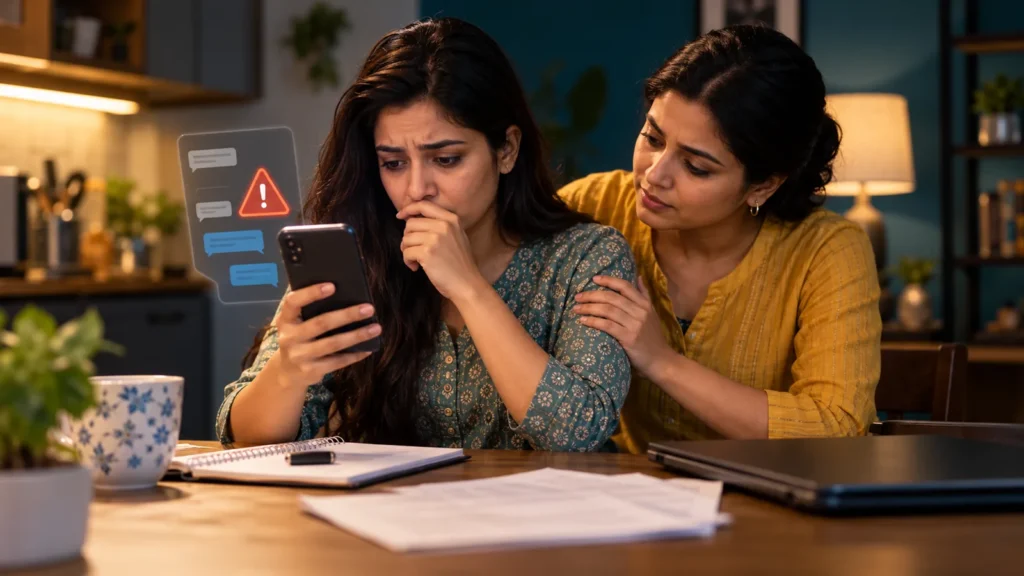
WhatsApp logged you out, someone is asking contacts for money in your name, and an unfamiliar PIN blocks your return. Start by securing your number and using a safe phone. Re-register with the official registration code. Account access may still be delayed, but warn contacts immediately rather than waiting for recovery to finish.
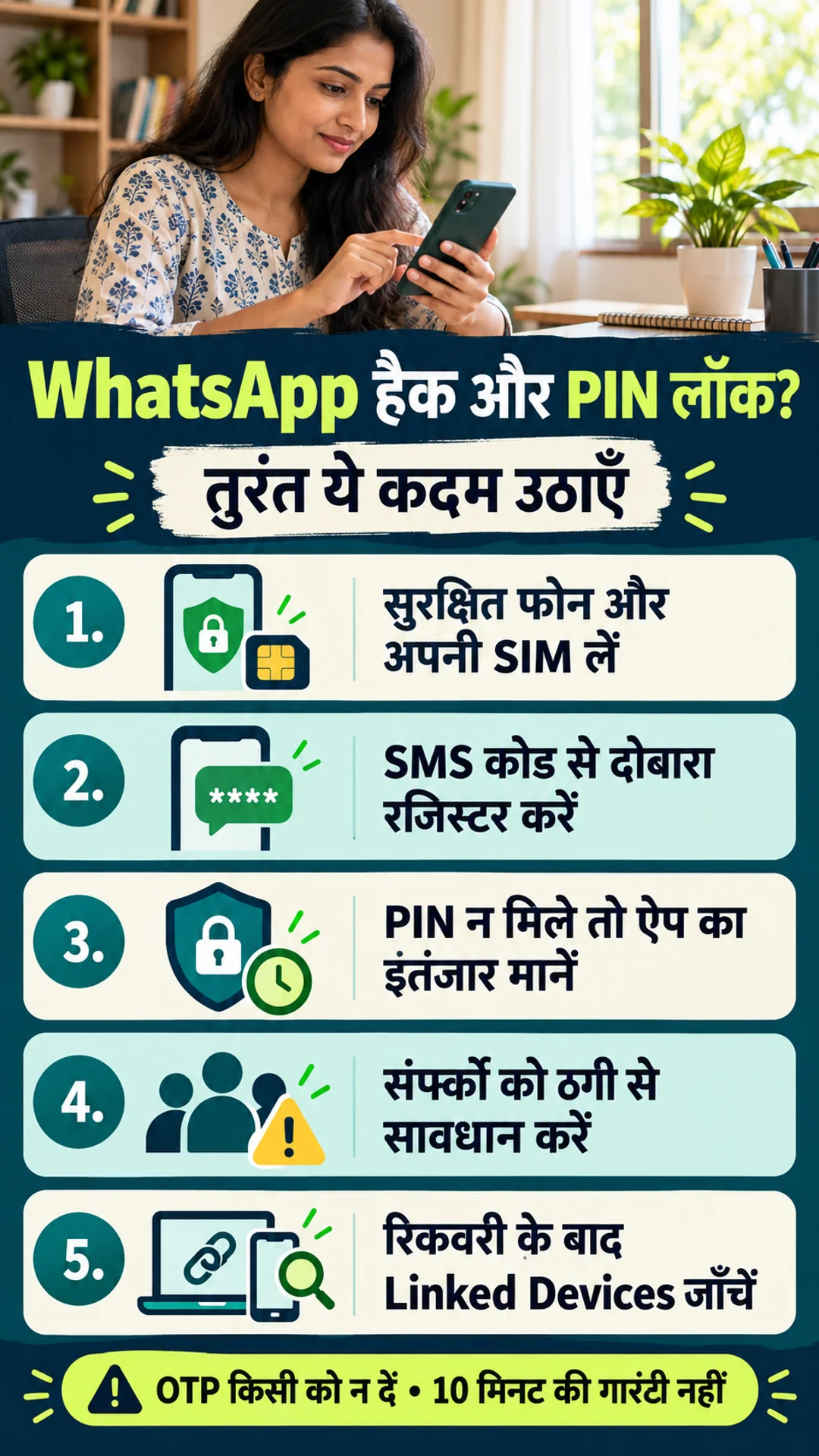
The direct answer is to re-register your number in the official WhatsApp app and enter the six-digit SMS or call code yourself. WhatsApp’s compromised-account guidance says this logs out other devices using the account. If an unknown two-step PIN blocks access, it instructs you to wait seven days and try again. Follow the actual recovery options and timer on your screen.
- Check whether your own SIM receives SMS and calls.
- Re-register the number on a safe phone using the official app.
- Use the available Forgot/Reset option for an unknown PIN or password.
- Warn important contacts and group administrators through another channel.
- After recovery, inspect Linked Devices and security settings.
The registration code is different from the two-step PIN
The registration code confirms control of your phone number and arrives through an offered verification channel. The two-step PIN is an additional credential set earlier. Both may look like six digits, but receiving the first does not reveal the second. Do not give the SMS code to anyone offering to remove the PIN for you.
The current WhatsApp Help Center also describes a transition from the older PIN to a password. Your screen may therefore use PIN, password or another verification option. This guide covers the unfamiliar-PIN situation without assuming all app versions have identical buttons. The official options shown for your account take priority over an old tutorial screenshot.
An unsolicited verification code alone does not prove that the account has been stolen. An unexpected registration-on-another-device notice, unauthorised sent messages or an unknown linked device deserves closer attention. A security-code-change notice alone is not proof that all your messages have been copied. Record the actual symptoms before describing the incident.
Start with a safe device, your SIM and re-registration
If the phone is lost, the SIM no longer works or mobile service disappeared unexpectedly, contact your operator through its official channels. Secure the number and ask about a replacement SIM with the same number. Mention suspected SIM swapping if relevant. Blocking a SIM should not be treated as proof that an existing internet-connected WhatsApp session has stopped.
If a suspicious app, screen-sharing session or remote control affected the phone, perform sensitive recovery from a safe device. Account takeover and compromise of the whole phone are different problems. Do not claim the latter without evidence. Secure the email account as well, and preserve useful complaint records before removing suspicious software or wiping data.
Open Log back in/Continue or the registration flow in the official app. Enter your number in international format, including +91 for an Indian number. Enter the received SMS/call code only in the official app. Follow any waiting timer instead of repeatedly requesting codes. A person claiming to be support, police or a friend does not need your registration code.
Previously verified email may provide a code option in some situations. WhatsApp’s current email-code guidance requires an active SIM for the account’s number in the device. Email is not automatically a substitute for a lost number. If you cannot control the number, begin with the mobile operator rather than paying a recovery intermediary.
An unfamiliar PIN or password and the seven-day wait
Check the official Forgot PIN or password-reset option offered on screen. If the appropriate recovery email is yours and accessible, use the available reset process. If the email is unknown or inaccessible, do not guess credentials repeatedly. For an unfamiliar PIN, the compromised-account guidance says to wait seven days and try again. Observe the app’s timer and instructions.
FACT: restoring your own access and stopping someone else’s account access are different outcomes. WhatsApp says entering the six-digit SMS registration code logs out the other user even when an unknown PIN still delays you. It is therefore incorrect to assume the attacker necessarily retains access for the entire seven-day wait. Recovery cannot retract information already read or copied.
Do not purchase a “server reset,” install an unofficial PIN-removal APK or pay someone promising to shorten the wait. Reinstalling the app is not a guaranteed bypass. Keep control of the SIM, email and device throughout recovery, and never disclose a new registration code. If the screen shows a different password or restriction issue, follow its corresponding official help rather than applying the PIN instructions blindly.
Can an email deactivate the account in ten minutes?
That guarantee is unsupported. Older articles recommend an email headed “Lost/Stolen: Please deactivate my account.” The current compromised-account Help Center says WhatsApp cannot deactivate accounts for others because of verification constraints. Do not treat that old email template as an emergency switch guaranteed to kill every session within a deadline.
Use whatsapp.com/contact or the Contact Us/Support option under Settings > Help when available. Labels can vary. Describe the timeline, account number and exact error with a redacted screenshot. Do not include registration codes, PINs/passwords or unnecessary private chats. A support request does not replace re-registration, warnings to contacts or a financial-fraud report.
Short description for official support
Subject: Compromised WhatsApp account — unknown two-step verification
My number is [international format]. On [date/time/time zone], I lost access / noticed unauthorised activity.
I [have/do not have] access to the SIM and can [receive/not receive] SMS/calls.
I attempted official re-registration on [time]. The screen now shows [exact error / unknown PIN or password / waiting timer].
Please guide me through official recovery. A relevant redacted screenshot is attached.
Device/app version: [if known].
No registration code, PIN or password is included.
Warn contacts, preserve evidence and report fraud
Use ordinary phone calls, SMS, email or a trusted person to warn important contacts now. Do not depend on sending the warning from the compromised account itself. Prioritise people likely to transfer money in your name. Ask group administrators to warn members and interrupt fraudulent payment requests.
Unauthorised messages may be coming from my WhatsApp number [number/last digits]. Do not act on requests for money, OTPs, QR scans or links from that account for now. Confirm my identity through an ordinary call or another trusted channel. If you received a suspicious request, preserve a timestamped screenshot and contact me at [safe contact].
Only claim the entire phone was hacked if there is a basis for that statement. A limited, accurate warning is more useful than an unsupported explanation. Do not circulate intimate or threatening material to every contact as “proof.” Warnings may reduce harm but cannot guarantee that blackmail pressure disappears.
Preserve messages, numbers, dates, payment requests and error screens. If money was sent, retain the amount, transaction ID/UTR, bank and recipient information. Notify the bank/payment provider immediately and report financial cyber fraud through 1930 and cybercrime.gov.in. Keep complaint references. Prompt reporting can help intervention but does not guarantee recovery of the money.
Report extortion or threats with the actual facts through the cybercrime portal and local police. Seek emergency assistance for an immediate physical threat. Do not rely on payment to guarantee deletion of copied chats or images. Contacts who paid an impersonator should immediately make their own bank and financial-fraud reports.
After recovery: linked devices and stronger security
On the primary phone, open Linked Devices, select unfamiliar devices and log them out. Remove connections you no longer need. If WhatsApp still opens on your phone but an unknown linked session is the issue, do this promptly. Unlinking devices, blocking the SIM, ordinary app logout and deleting the account are different actions.
Review the security options your account offers, including two-step PIN/password, a verified recovery email and passkey where available. Use a strong separate credential and secure the email account too. Update the app and phone, use a screen lock and reject unsolicited QR/pairing requests. A request framed as legitimate device linking can still connect an attacker to your account.
Recovering the account does not guarantee restoration of old chats: backups and access to them are separate matters. Avoid using Delete My Account as a panic response. WhatsApp describes deletion as irreversible. Check the evidence and backup situation before wiping or resetting a device; stopping unauthorised access does not erase previously copied material.
Advice and five frequently asked questions
Advice
Work on number control, official recovery and contact warnings together. Do not pay or disclose OTPs to unfamiliar “customer-care” numbers found in search results. Keep a short timeline so official support, the bank and investigators can understand what actually happened without reconstructing it from scattered messages.
Is entering the SMS code useful if I do not know the PIN?
Yes. Official compromised-account guidance says it logs out the other user, although the additional PIN may still delay your access.
Is everything guaranteed to return after seven days?
No. Seven days is the unfamiliar-PIN guidance; SIM access, codes, password issues or restrictions may be separate obstacles. Old chats are not guaranteed.
Will an email instantly deactivate the account?
Current guidance does not promise that. Use official recovery and contact routes.
Does blocking the SIM immediately stop WhatsApp?
Do not treat it as proof that all internet sessions ended. Secure the number and re-register.
What if money has already been sent?
Immediately notify the bank/payment provider, call 1930 for financial cyber fraud and follow the cybercrime.gov.in reporting process.
- WhatsApp: compromised-account recovery
- WhatsApp: registration and two-step verification
- WhatsApp: email verification and reset
- WhatsApp: unlink devices
- WhatsApp: account deletion
- Official WhatsApp contact
- National Cybercrime Reporting Portal
Disclaimer: General cybersecurity information. App versions and account status affect available options. Follow official on-screen instructions and Help Center guidance. Fact-checked: 13 October 2026.