 Vista

What are AI Photos?
AI photos are images generated by artificial intelligence tools based on text descriptions, known as prompts. Instead of using a camera, these tools interpret your words to create unique visuals, ranging from realistic scenes to stylized artistic creations.
Why Use AI for Photo Generation?
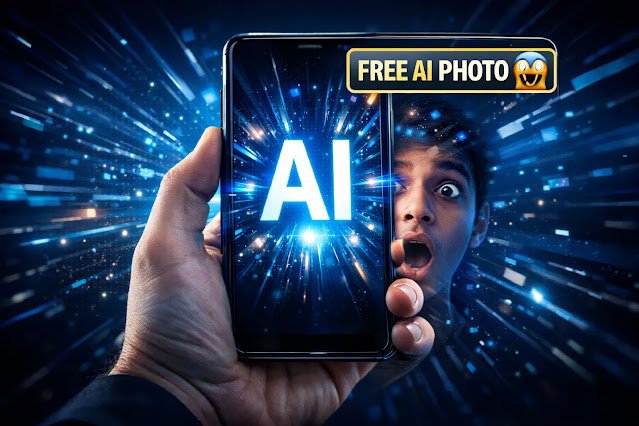
The rise of AI photo generators offers several compelling advantages:
- Cost-Effective: Many powerful AI tools are available for free, eliminating the need for expensive software or subscriptions.
- Accessibility: You don’t need advanced editing skills like Photoshop. Anyone can create impressive images with simple text commands.
- Speed: Generate images in minutes, saving significant time compared to traditional photo editing.
- Creativity Unleashed: Bring your imagination to life by translating ideas into visual realities, from movie-like scenes to unique character designs.
- Versatility: Create a wide array of images, including Bollywood-inspired stills, Hollywood-style cinematic scenes, royal portraits, romantic couple photos, and viral social media profile pictures.
Top Free AI Photo Generator Tools
Several excellent free tools can help you get started:
- Bing Image Creator: Powered by DALL-E, it’s a robust and free option for generating high-quality images.
- Leonardo AI: Known for producing cinematic and realistic images, offering advanced features for creative control.
- Playground AI: A user-friendly platform ideal for beginners, making the AI image generation process straightforward.
- Canva AI Image Generator: Integrated within Canva, this tool provides a simple and fast way to add AI-generated images to your designs.
How to Create AI Photos on Mobile (Step-by-Step)
Creating AI photos on your mobile device is surprisingly simple:
- Open your mobile browser (e.g., Google Chrome).
- Search for “Bing Image Creator” or navigate directly to its website.
- Log in using your Microsoft account.
- In the “Describe your image” box, type your detailed text prompt. Be descriptive!
- Click the “Create” button.
- Wait a few seconds as the AI generates your image.
Crafting Effective Prompts for Stunning Results
The key to great AI-generated images lies in the prompt. Here’s how to write better ones:
Bollywood Style Prompts
To achieve a Bollywood aesthetic, include elements like:
- Subject: “A young Indian man,” “An Indian couple”
- Action/Setting: “standing in rain,” “in sunset,” “wearing royal king outfit”
- Lighting/Mood: “cinematic lighting,” “soft romantic lighting,” “dramatic background”
- Style: “Bollywood movie style,” “emotional scene”
- Quality: “high detail,” “high quality,” “realistic”
Example Prompt: “Indian couple in sunset, soft romantic lighting, Bollywood style, emotional scene, high quality, realistic”
Hollywood Style Cinematic Prompts
For a Hollywood feel, focus on:
- Subject: “A man,” “Futuristic city,” “A mysterious man”
- Action/Setting: “walking away from explosion,” “with neon lights,” “in dark alley”
- Lighting/Mood: “fire background,” “low light,” “shadows”
- Style: “cinematic hollywood style,” “cyberpunk theme,” “hollywood thriller style”
- Quality: “ultra realistic,” “4k,” “ultra detailed”
Example Prompt: “A man walking away from explosion, fire background, cinematic hollywood style, ultra realistic, 4k”
Pro Tips for Next-Level Images
- Always mention “cinematic lighting”.
- Add terms like “ultra realistic” or “4k” for higher quality.
- Describe the background details.
- Include emotions (happy, sad, angry).
- The more detail, the better the result.
- For a professional camera look, add: “DSLR quality, depth of field, cinematic tone”.
Common Mistakes to Avoid
Beginners often make these errors:
- Vague Prompts: Not providing enough detail.
- Ignoring Lighting: Failing to specify lighting conditions.
- Overlooking Backgrounds: Not describing the setting.
- Missing Emotion: Forgetting to convey the desired mood.
- Using Random Words: Including irrelevant terms.
Remember, AI is not a mind reader. Clear, specific prompts yield the best results.
The Ultimate Prompt Formula
Use this structure for powerful prompts:
Subject + Action + Background + Lighting + Style + Quality
Example: “A young Indian man standing on a mountain, wind blowing, sunset background, cinematic lighting, Bollywood style, ultra realistic, 4k”
Viral Prompt Ideas (Ready to Use)
- Instagram Viral DP: “Stylish Indian boy, sunglasses, attitude pose, city background, cinematic lighting, ultra realistic, 4k, DSLR quality”
- Luxury Lifestyle: “Rich man sitting in luxury car, night city lights, cinematic tone, ultra detailed, hollywood style”
- Attitude Look: “Indian man walking on road, slow motion feel, smoke effect, dramatic lighting, cinematic scene”
- Love Scene: “Romantic couple holding hands, rain, emotional vibe, soft cinematic lighting, realistic”
Final Advice
AI is a powerful tool, but your creativity is the driving force. Experiment with different prompts, combine elements, and don’t be afraid to explore. The best AI-generated images come from those who push the boundaries of their imagination. Start creating your own scroll-stopping visuals today!
Frequently Asked Questions
How can I create AI photos for free?
You can create AI photos for free using various online tools like Bing Image Creator, Leonardo AI, Playground AI, and Canva’s AI Image Generator. Simply sign up (if required) and use text prompts to generate your images.
What makes a good AI photo prompt?
A good AI photo prompt is detailed and specific. It includes the subject, action, background, desired lighting, style (e.g., Bollywood, Hollywood), and quality (e.g., realistic, 4k). The more descriptive you are, the better the AI can interpret your vision.
Can I create Bollywood-style photos with AI?
Yes, absolutely! By using prompts that describe Indian characters, settings, and specific Bollywood aesthetics like dramatic lighting and emotional scenes, you can generate authentic-looking Bollywood-style photos with AI.
Is it possible to make Hollywood-style cinematic images for free?
Yes, many free AI image generators can produce Hollywood-style cinematic images. Focus your prompts on elements common in Hollywood films, such as action sequences, sci-fi themes, thriller moods, and specific lighting techniques like “cinematic lighting” and “ultra realistic” quality.
What are the best free AI tools for generating images?
Some of the best free AI tools include Bing Image Creator (based on DALL-E), Leonardo AI, Playground AI, and Canva AI Image Generator. Each offers slightly different features and strengths, so trying a few is recommended.



Share Your Opinion
Comments are closed on this post.