Why Does Phone Battery Drain Faster in the Rain? Understanding the Science
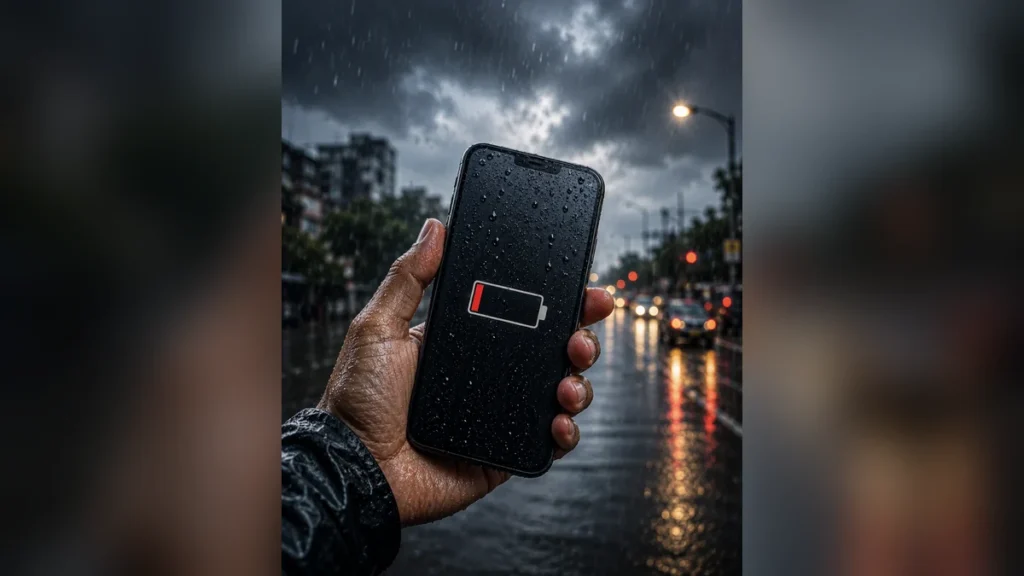
You leave home with a fully charged phone, ready for the day. The air is cool and damp, but within half an hour, a 40% battery alert flashes on your screen. Is your phone malfunctioning, or is there a hidden scientific logic at play? The answer might surprise you.
The Real Reason for Phone Battery Drain in Rainy Weather

As the monsoon season arrives, many users complain about their smartphone batteries discharging very quickly. At first glance, it seems like a background app is consuming data or the phone is simply getting old. However, the actual situation is quite different.
During rainy days, the humidity level in the air can reach 80-90%. When the temperature suddenly drops, the speed of the chemical reactions inside the battery slows down. This forces the battery to expend more energy to keep the phone running.
The result is a rapid decline in the battery percentage. This issue isn’t specific to one brand; it affects all devices that operate on lithium-ion technology.
The Chemical Connection: Lithium-Ion Batteries and Cold, Humid Weather
Inside a smartphone battery, lithium ions travel from one electrode to another through a liquid electrolyte. When the weather is dry and normal, this movement is smooth. However, during the monsoon, two things happen simultaneously: excessive humidity in the atmosphere and a drop in temperature.
When your phone comes into contact with cold air or moisture, the electrolyte begins to thicken. This slows down the movement of ions, increasing the battery’s internal resistance. The processor interprets this as low battery charge, even if there’s still power available. This is why your phone might suddenly drop from 20% to 5% battery or even switch off unexpectedly during rain.
The Pressure of Network Searching: When Your Phone Constantly Hunts for Signal
Have you noticed network signals fluctuating frequently during rain? Dense clouds and strong winds can weaken the radio signals from mobile towers. When the phone receives a weak signal, its in-built modem doubles or triples its transmission power, trying to establish a stronger connection with the nearest tower.
This background process puts a heavy load on the processor. Even if the screen is off, the battery is being drained rapidly in the background by this constant network searching. This is why battery drain is most severe during travel in the rain.
The Hidden Role of Display and Brightness
The weather can change rapidly during the monsoon, shifting from bright sunshine to overcast skies within minutes. Most users keep their phone’s auto-brightness feature enabled. When you’re outdoors and the light conditions change frequently, the phone’s ambient light sensor works overtime, causing the screen brightness to fluctuate constantly.
The smartphone display is one of the most power-hungry components. The continuous triggering of the sensor and adjustment of screen brightness directly impacts battery life.
FACT: Lithium-ion batteries perform best at temperatures between 20-25 degrees Celsius. Fluctuations in humidity and temperature during the monsoon increase their internal resistance, leading to faster charge depletion.
Moisture in Ports: A Silent Threat
Even if your phone doesn’t get directly wet during the rain, ambient humidity can enter through charging ports and speakers. When even a small amount of moisture accumulates in the charging port, the phone’s internal circuitry may activate safety features, sending extra power to certain components or keeping moisture detection sensors active.
This constantly active safety mechanism also gradually drains the battery. Attempting to charge a phone with a damp port increases the risk of a short circuit.
Practical Tips to Save Your Phone Battery Life in the Monsoon
If you want your phone battery to last the whole day even during the rainy season, you need to adopt a few simple habits:
1. Manual Network Settings
When traveling in the rain and experiencing network fluctuations, switch your phone from 5G to 4G mode. Searching for 5G signals consumes significantly more battery.
2. Use a Waterproof Pouch Correctly
Use a good quality zip-lock or waterproof pouch not just to protect your phone from water, but also from cold air and humidity. This helps maintain the phone’s body temperature at a normal level.
3. Enable Low Power Mode
As soon as you step out in the rain, activate your phone’s battery saver mode. This restricts background app refresh and unnecessary sensor activity, significantly reducing battery drain.
Expert Advice: What to Do When Your Phone Feels the Monsoon Chill
Many people assume that if their phone battery is draining fast in the rain, they need to replace the battery or buy a new power bank. However, the reality is that your battery is likely not faulty; it’s simply experiencing the scientific impact of the weather.
A common mistake is immediately connecting a cold or damp phone to a fast charger. When the phone’s temperature is low due to the external weather and you introduce high-wattage charging (e.g., 67W or 120W), the battery cells can be permanently damaged. Always let your phone reach room temperature before charging.
Instead of keeping your phone in tight pockets, store it in an inner zip pocket of your bag to protect it from humidity and direct cold air. Regardless of how advanced technology becomes, the laws of physics and chemistry remain constant. By turning off auto-brightness when needed and managing network searching, you can ensure your battery provides a full day’s backup even during the monsoon months. There’s no need to rush to the service center unnecessarily.
Frequently Asked Questions
Does rain permanently damage phone batteries?
No, this is usually a temporary effect caused by the low temperature and humidity of the weather. Once the weather normalizes or the phone returns to a normal temperature, the battery backup should improve.
Is it safe to use fast charging in humid weather?
If your phone is damp or very cold, avoid immediate fast charging. Let the phone dry out and reach normal room temperature first to prevent the risk of short circuits.
Why does using 5G drain the battery more in the rain?
During rain, 5G signals can be obstructed by clouds and water droplets. The phone works harder to capture these weak 5G signals, leading to faster battery consumption.
Does using a waterproof pouch help save battery?
Yes, a waterproof pouch shields the phone from external cold air and humidity, helping to maintain a stable internal temperature and allowing the battery’s chemical reactions to function more efficiently.
Disclaimer: The information provided in this article is for general awareness only.