SBI data leak: verify the request before opening a KYC link
A caller knows your name, city and bank, then says your data has leaked and your KYC must be updated immediately. That can sound convincing. Knowing personal details does not prove someone works for your bank. Use the steps below to verify the request independently and respond according to what you have already shared.
What has been reported about the leak?
Reuters reported on 21 October 2026 that SBI identified personal information relating to 3,897 customers in records found on the dark web and launched an investigation. Approximately 375,000 records were examined; that larger figure must not be described as the confirmed number of affected SBI customers.
The report does not establish that every customer is affected, that your password has been exposed, or that money has been taken from your account. Findings may change as the investigation proceeds. Do not enter your PAN, Aadhaar, account number or OTP on an unknown website claiming to check the leak.
A fraudster could use news of a breach to make a convincing call. This is a potential impersonation scenario, not evidence that every suspicious KYC call is connected with this particular incident.
How to verify a genuine KYC request
Banks can send legitimate KYC reminders. Do not ignore a real requirement; check it through a channel you choose independently of the incoming message.
End the call. Open the official bank app already installed on your device, contact the bank using the number on your passbook or card, or visit your branch. Ask whether your KYC needs attention and which authorised procedure applies. Do not use a callback number supplied by the suspicious caller.
A familiar name, logo, caller-ID label or profile photograph is not enough. A HTTPS padlock alone does not prove a site belongs to a bank. Avoid customer-service numbers in unknown search listings or ads; obtain contact information from the bank’s official website.
Three requests that should make you stop
Example 1: ‘Your account closes tonight. Update KYC using this link.’ This is an illustrative example, not an actual message from this incident. Do not act under pressure. Confirm any genuine deadline with the bank independently.
Example 2: ‘Your data leaked. Move your balance into a safe account.’ Do not transfer funds to an account, wallet or UPI address chosen by an unsolicited caller. Moving money to a stranger is not an account-verification procedure.
Example 3: ‘Install this APK or share your screen so we can fix KYC.’ Do not install message attachments or grant remote access. SMS, accessibility and screen-sharing permissions can expose sensitive information or control of the device.
FACT: Entering an OTP inside an official service for a transaction you initiated differs from reading it to a caller. Never disclose an OTP, PIN, CVV or password to the caller. Read the action shown before entering a UPI PIN; do not approve a debit or collect request because someone says it is required to receive money.
Choose the response that matches what happened
Only received a message: do not reply or open its link. Preserve a screenshot and sender details, verify with the bank, and report or block the sender. Do not post confidential information publicly as evidence.
Opened the link but entered nothing: close the page. Check downloads and permissions granted. A click alone does not prove money has been stolen. Do not open unfamiliar downloaded files, and watch transaction alerts.
Entered a password or disclosed an OTP/PIN: contact the bank immediately using a safe device and its official channels. Ask how to block the affected card or digital access, change compromised passwords and obtain a complaint reference. Do not wait for a debit.
Installed a remote-access app: disconnect that phone from the internet and stop banking on it. Use another safe phone to contact the bank. Preserve the app name and available evidence, revoke permissions and uninstall it. Seek trusted technical assistance if the device’s security remains uncertain.
Shared identity documents only: tell the bank what was disclosed and monitor for suspicious activity. Disclosure does not make a debit inevitable, but may enable further impersonation or misuse.
If money has left your account
Immediately notify your bank of the unauthorised transaction and ask to block the affected payment channel. Also call 1930 for financial cyber fraud and lodge a report at cybercrime.gov.in. Do not delay one notification while waiting for the other organisation to respond.
Prepare the amount, transaction time, transaction ID or UTR, available recipient details, caller number, messages, links and bank complaint reference. Do not invent missing details. Save acknowledgements and complete requested follow-up steps.
You can tell the bank: ‘I see a transaction of [amount] at [time] that I did not authorise. The transaction reference is [number]. Please register my complaint, block the affected payment channel and give me a complaint reference.’ Describe events honestly, including anything disclosed under pressure.
Prompt reporting matters, but recovery is not guaranteed. Liability and refunds depend on the facts, timing and applicable rules. Avoid anyone requesting an advance recovery fee, OTP or PIN to return the money.
Advice: agree on one family rule
For an unexpected banking call, say: ‘I will check directly with my bank,’ and end the call. Help older relatives save a verified contact and practise that response. Do not share OTPs or full card photographs in family groups while asking for help.
Use official banking channels for KYC, complaints and blocking access. There is no need to upload sensitive banking documents into an unrelated image or PDF tool to follow this guide.
Frequently asked questions
Does knowing my name and address make the caller genuine? No. Verify their request independently with the bank.
Should I withdraw all my money because of the news? The report alone does not justify that conclusion. Review transactions and report suspicious activity.
Can a bank send a genuine KYC reminder? Yes. Check it through the official app, verified contact or branch rather than disclosing an OTP to a caller.
I shared an OTP but no money has gone. Should I wait? No. Inform the bank and secure affected access immediately.
Does reporting to 1930 guarantee a refund? No. It is a financial cyber-fraud reporting channel; recovery is not assured.
Sources and official help
Checked on 22 October 2026. The incident summary refers to Reuters reporting dated 21 October. Safety guidance draws on SBI’s official advice and the Ministry of Home Affairs reporting channels.
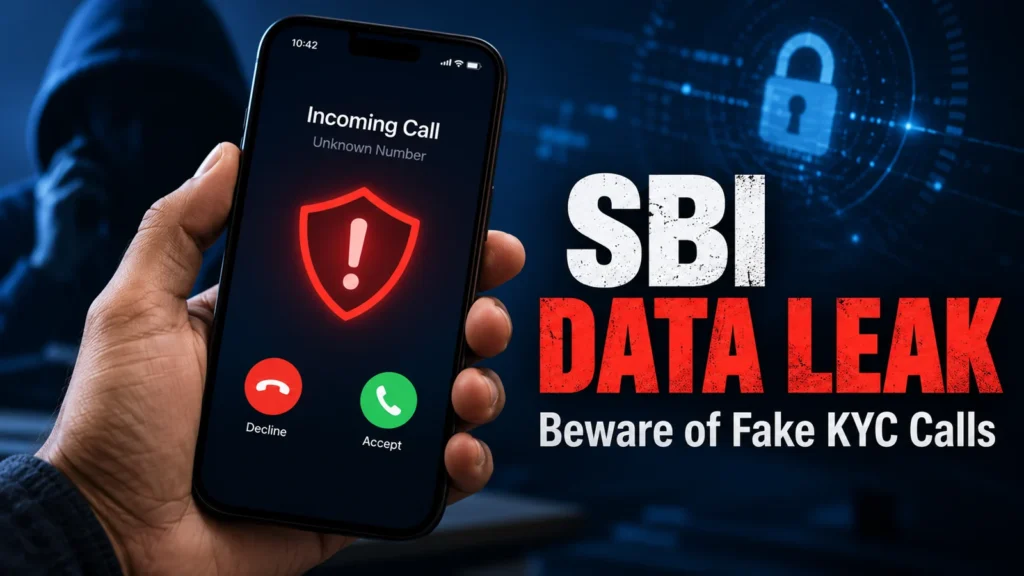
This is general awareness information, not an official SBI notice or individual financial or legal advice. The feature image is a conceptual AI illustration and does not depict an actual victim or call.
SBI: Cyber Security · SBI: Official Contact Centre · National Cyber Crime Reporting Portal · MHA: 1930 reporting helpline · Reuters: incident report, 21 October 2026