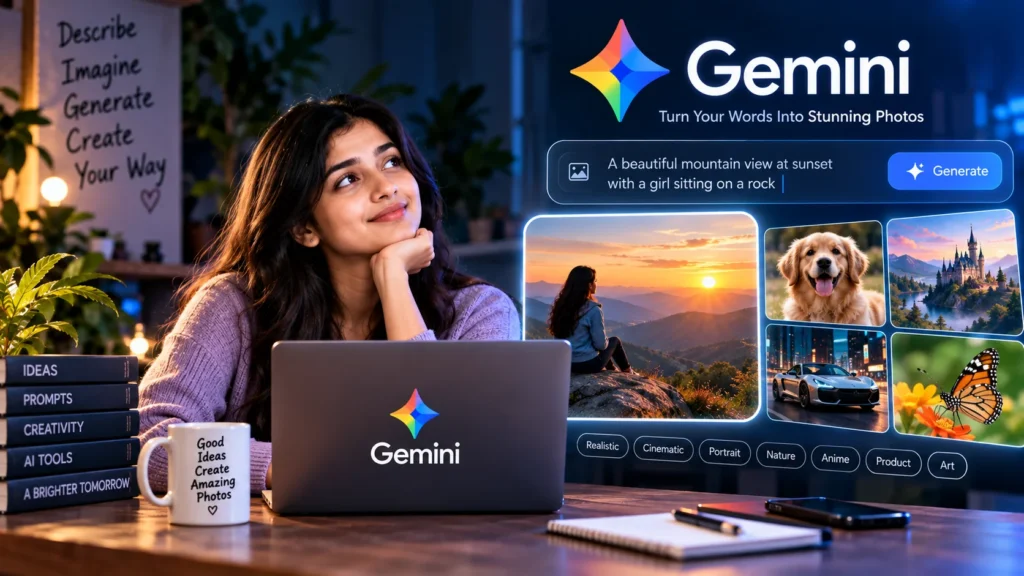
Every Reel is buzzing about gemini ai photo prompts — “write one line, get a photo.” Reality check: a vague prompt = a blurry result. For students, creators, and small businesses in India, this guide teaches a simple formula — subject + place + lighting + style + camera/mood — without fake claims of a “secret official formula”.
Gemini AI photo prompts — clear intentions first
The availability of text-to-image or image editing features in the Google Gemini app/web depends on your account, country, and updates. At Vista Hub, we are not selling any leaked “secret Google formula”. What actually works is an old photography habit: the clearer you describe it, the clearer direction you get. Learning gemini ai photo prompts is less about memorizing keywords and more about breaking down a scene in your mind — who, where, what lighting, which style, camera/mood.
A student might need an assignment cover, a presentation slide, or a YouTube thumbnail. A creator needs a mood board for Reels. A small business owner wants a WhatsApp catalog, menu card, or product shot mock-up. The approach is the same for everyone: drop vague prompts like “nice photo of girl” and write specific English prompts (plan in Hinglish, paste copy-ready English). AI images often look “almost real” — never claim they are real photographs. Respect people, brand logos, and celebrity faces. Features keep changing; check the latest screen directly on the official Gemini app.
Prompt formula: subject + place + lighting + style + camera/mood
Remember these five blocks. Subject = main thing/person/object. Place = location or background. Lighting = golden hour, soft window light, neon night, studio softbox. Style = realistic photo, cinematic, anime, product photography. Camera/mood = shallow depth of field, wide angle, warm tone, dreamy. The order doesn’t matter; completeness does. If you skip a block, Gemini will guess — sometimes well, often randomly.
Example: “dog” is weak. Better: “A golden retriever sitting on a park bench in Chandigarh during golden hour, realistic photo, shallow depth of field, warm cinematic mood.” Add Indian scenes — chai stall, Jaipur street, monsoon balcony, hostel study desk — so the output feels relatable to your audience. But remember: do not sell AI images as “a photo from my real trip”. Great for inspiration and mockups; not for news or ID proofs.
FACT: Gemini AI photo prompt formula (at a glance)
- Subject: Clearly state who/what (person, product, pet, dish)
- Place: Where — park, rooftop, café, studio, mountain lake
- Lighting: golden hour, soft daylight, neon night, warm indoor lamp
- Style: realistic photo, cinematic, portrait, product, food photography, fantasy
- Camera/mood: shallow DOF, bokeh, wide angle, cozy, dreamy, high detail
- Rule: Vague single line ❌ · Specific line with five blocks ✅ · Try variations · Refine
- Reminder Disclaimer: AI images can look fake; do not claim they are real photos; respect people/brands; Gemini features change
Copy-ready categories — India-friendly gemini ai photo prompts
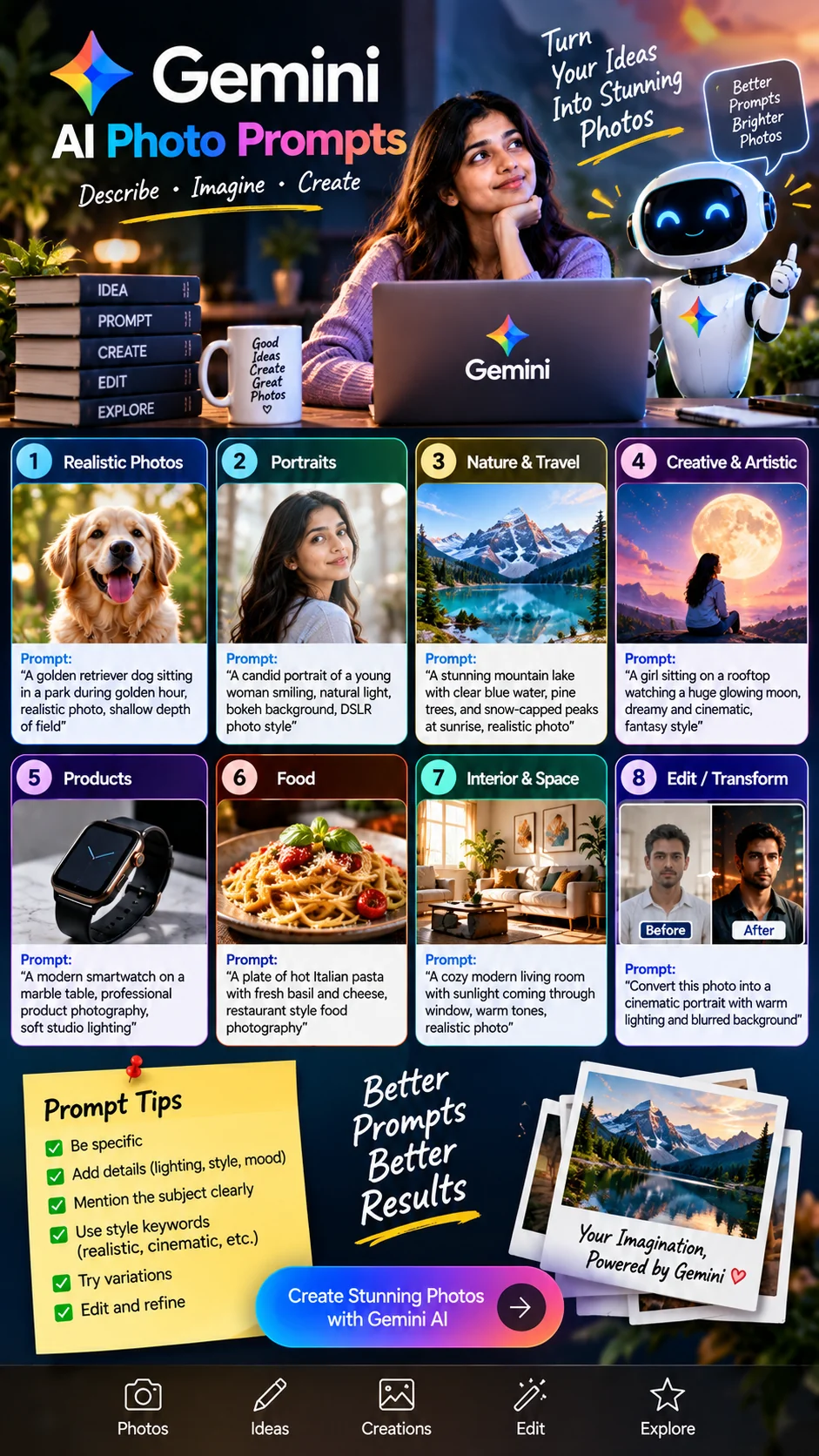
Below are eight categories — realistic, portrait, nature/travel, creative, product, food, interior, edit/transform. These Hinglish-friendly English prompts are rewritten based on the infographic ideas; you can copy-paste and try them directly in Gemini. Results may vary each run — that is the nature of AI.
1) Realistic photos
An everyday “looks like shot from a camera” vibe. Pets, street life, simple lifestyle.
2) Portraits
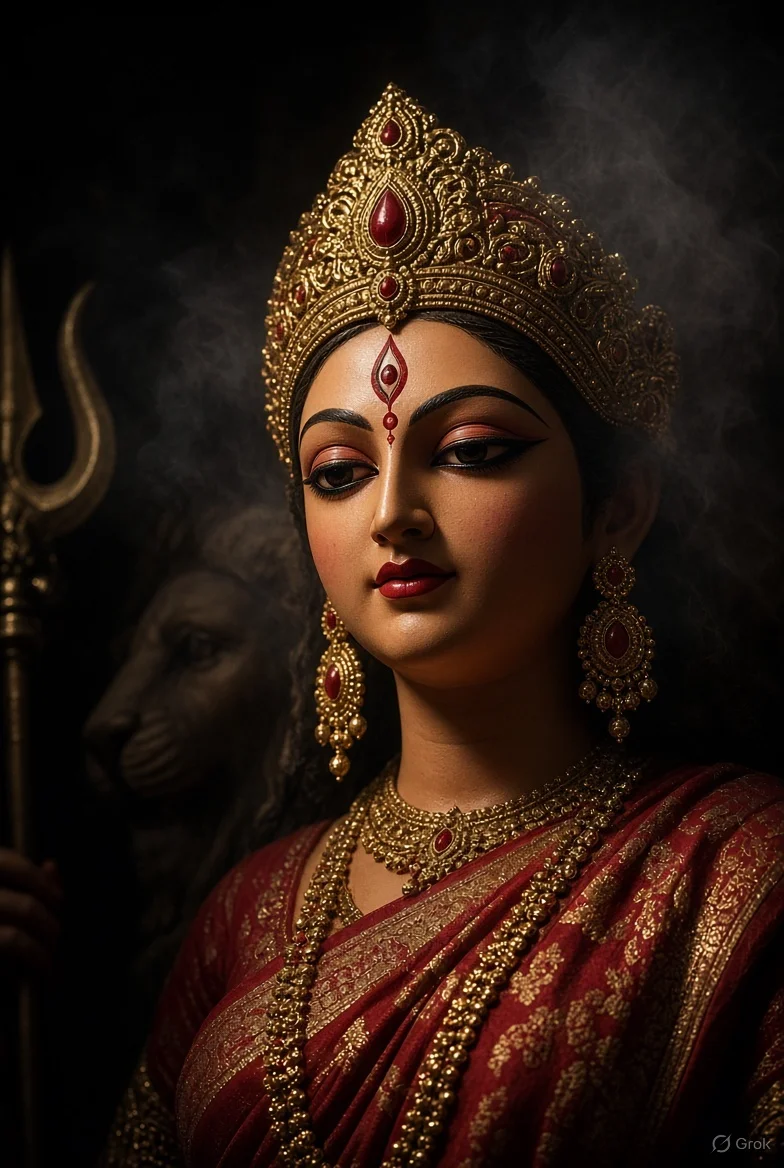
Candid smile, soft light, bokeh — for thumbnails and profile mocks. Do not create the likeness of a real person without permission.
3) Nature & travel
Hills, lakes, sunrise — for travel reel covers or blog hero images.
4) Creative & artistic
Dreamy, fantasy, cinematic — when you want “emotion” more than “reality”.
5) Product
Small business catalogs, smartwatches, bottles, packaging mocks — don’t forget to mention studio light.
6) Food
Restaurant-style plating — menus, Zomato-style mocks, Reels thumbnails.
7) Interior & space
Room makeover ideas, Airbnb vibes, study corners — sunlight + warm tones usually work great.
8) Edit / transform (AI edit — not claimed as real photo)
If image upload + edit is available in Gemini, write clear directions. Don’t call the before/after “my real DSLR photo” — it is an AI transformation.
6 practical tips for better results
Be specific. Skip “beautiful girl”; specify age vibe, clothing color, and action. Add lighting/style. Golden hour vs neon night completely changes the mood. Mention subject clearly. Keep one main focus; putting five things together creates clutter. Use style keywords. Realistic, cinematic, product photography, food photography — these give direction to gemini ai photo prompts. Try variations. Three versions of the same scene: wide / close-up / different light. Edit and refine. For the output that comes closest, refine it with short prompts like “make background cleaner” or “add soft bokeh”.
Students: keep presentation covers clutter-free; specify negative space in the prompt for text (“negative space on the left for title”). Creators: faces + bright contrast often get clicks on thumbnails — but don’t indulge in clickbait lies. Small businesses: keep the product centered and background simple; don’t generate fake brand logos via AI without permission. And yes — AI glitches in hands, text on signs, and fingers are common; zoom in before publishing.
Common mistakes that ruin results
Overly long, confusing sentences with ten conflicting styles — combining “anime + ultra realistic + oil painting + 3D render” — can confuse the model. Pick one primary style. Second: typing half-hearted lines in pure Hindi; it’s better to think in Hinglish and paste a clear English prompt (as shown above). Third: assuming every output is “perfect”. Fourth: selling AI art as stock photography without credit/context. Fifth: uploading someone’s private photo for disrespectful edits.
The real trick to gemini ai photo prompts is patience. The first run is often 60% right. Refining that brings it closer to 90%. Keep a small library of your best prompts in a Notebook or Notes app — “food warm”, “product white bg”, “travel sunrise” — so you don’t have to write from scratch every time.
Advice
Look, the secret to a good image in Gemini isn’t a confidential “Google password”. It’s the same old secret photographers use: picture the scene clearly. Ask yourself five questions every time — who is the subject, where is the place, what is the lighting, what is the style, how is the camera/mood. Combine the answers into a single clear English sentence. Add Indian details — chai stall, monsoon balcony, Jaipur street — so the result connects with your audience. Then run two or three variations. Take the closest one and refine it with short tweak prompts. This habit works for student slides, creator thumbnails, and small business catalogs alike. A small ten-minute practice session daily is plenty.
Also, maintain a strict ethical boundary. Do not mislead people by presenting AI images as real photography. Do not clone faces without permission. Do not drag brand logos and packaging into fake promotions. If you use edit/transform features, clearly mention in the caption that it is an AI-assisted visual. Features and limits change; don’t take tutorial screenshots as set in stone — open the Gemini app and check for yourself. Never use AI images as evidence for financial, legal, or KYC decisions. Always zoom in to catch errors in hands and text.
The final practical rule is simple. Pick just three categories this week — like food, product, and portrait — and write two formula-based prompts for each. Save them in a folder named “best gemini ai photo prompts” in your Notes app. After a week, you will notice your prompts are far less vague. This five-block habit will serve you much better than noisy “1000 secret prompts” PDFs. Vista Hub’s goal is simple: understand the tool, claim less, improve results, and share responsibly.
Frequently Asked Questions (FAQ)
How to write Gemini AI photo prompts for better results?
Clearly state the subject, place, lighting, style, and camera/mood. Specific English prompts yield better results than vague single lines. Try variations and refine the closest output. No “official secret formula” is required — clarity is the real hack.
Will these prompts create photos like a real DSLR camera?
AI images may look realistic, but they are not real camera photos. Flaws can occur in hands, text, and fine details. Good for inspiration, mockups, and creative work; do not claim “this is a real photo”.
Can I write prompts in Hindi or is English better?
You can think in Hinglish, but copy-ready clear English prompts usually provide more predictable directions. Try a mix like the examples above — Indian place names + English style keywords.
What should small businesses include in product prompts?
Keep the product in focus, background clean, specify soft studio or daylighting, and do not generate fake brand logos without authorization. For e-commerce, prompts like “clean white background, high detail” help. Always verify with real product shots.
What should I mention when sharing before-after edit/transform images?
Clearly state that it is an AI-assisted edit/transform, not real untreated photography. Respect people’s likeness and privacy. Gemini edit feature availability may vary — check your app for the latest options.
Read Also
Disclaimer: This article is general how-to information, not an official Google Gemini spec sheet or “secret prompt formula”. Image generation/editing features, limits, and UI are subject to change without notice — verify the latest status on the official Gemini app/help. AI images can look real; do not present them claiming real photography. Respect individual likeness, brand trademarks, and copyright. Vista Hub is not making any paid promotional claims for any brand here. Do not make medical, legal, or financial decisions based solely on AI visuals.