Listen — Full news in just 1 minute
Bajaj Finance Customer Care, EMI Card, and Login: Manage Your Tasks from Home (Complete Guide 2024)
Friends, nowadays in India, whenever we want to buy something on EMI, the first name that comes to mind is – Bajaj Finance! From smartphones to refrigerators, ACs, and even major gadgets, everything is easily available in the name of “0% EMI”. With over 5 crore active customers, Bajaj Finance has indeed become India’s largest NBFC (Non-Banking Financial Company).
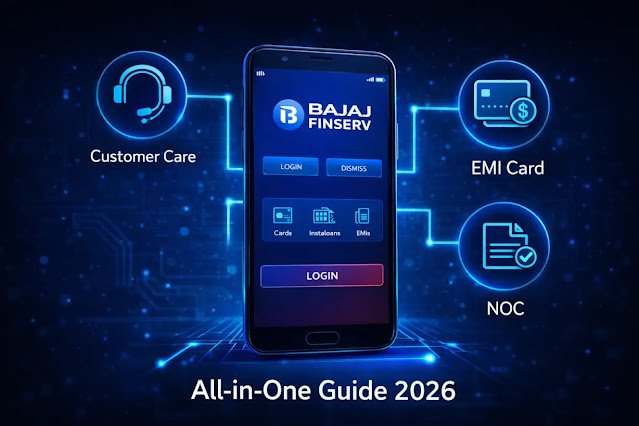
But what happens when your EMI card gets blocked, money is accidentally deducted in excess from your account, or you face issues getting the NOC (No Objection Certificate) after finishing a loan? In such situations, searching for the Customer Care number can sometimes be stressful. Don’t worry! This comprehensive guide will provide solutions to every common issue related to Bajaj Finance – whether it’s contacting Customer Care, logging into the Experia app, checking your EMI card limit, unblocking your card, changing your mobile number, or downloading an NOC. We will walk through everything step-by-step so that you can easily resolve all your tasks right from home.
And yes, before buying anything on EMI, always do your own calculations. Many times, even under “0% EMI”, there are processing fees or other hidden charges. Use an EMI calculator to check the total interest or fee you are actually paying.
Before you begin, keep this information ready:
- ✅ Bajaj Finance Customer ID: You can find this in your SMS or welcome kit.
- ✅ Registered Mobile Number: The mobile number linked to your Bajaj Finance account.
- ✅ Date of Birth (DOB): Keep it handy in DDMMYY format.
- ✅ Loan Account Number: You can find this on your loan statement or in the Experia app.
Once you have all this information ready, you can easily solve any of the issues mentioned below within 10-15 minutes.
1. Bajaj Finance Experia App and Online Portal: Your Digital Companion
In today’s digital era, Bajaj Finance allows customers to access most services independently through the Experia app and its online portal. The primary reason for this is that call centers experience heavy call loads, and solutions on the app or portal are often much faster and more convenient.
How to log in to the Experia App/Portal?
Logging into the Experia app or online portal is very simple:
- First, download the Bajaj Finserv Experia App on your smartphone (from Google Play Store or Apple App Store). You can also access the portal directly by visiting the Bajaj Finance website.
- After opening the app/portal, you will be prompted to enter your registered mobile number.
- An OTP (One-Time Password) will be sent to your registered mobile number.
- Enter the OTP and click on “Submit” or “Login”.
- If you are logging in for the first time, you may be asked to verify your Date of Birth (DOB) or other security details.
- Once verified, you will enter your Experia dashboard.
Forgot your password? Don’t worry, by using the “Forgot Password” option, you can easily set a new password or continue logging in using the OTP.
Key tasks managed through Experia App/Portal (From Home):
Through the Experia app or online portal, you can perform numerous tasks right from the comfort of your home:
- EMI Card Details: Instantly check your EMI card limit, available balance, and card status (active/blocked).
- EMI Card Statement: Download your EMI card’s previous transaction history and statements.
- Loan Details: View details of all your active and closed loan accounts, such as outstanding amount, next EMI due date, and loan statements.
- Make Payments: Pay your EMI directly from the app or explore pre-payment/foreclosure options.
- Download NOC: Instantly download your NOC (No Objection Certificate) after loan closure.
- Service Request: Raise a service request or register a complaint directly from the app for any issue or query.
- Update Profile: Update your email ID or communication address (there is a different procedure for updating important details like your mobile number).
- Pre-Approved Offers: Check available pre-approved offers for new loans or EMI card upgrades.
2. Bajaj Finance EMI Card: Complete Information and Issue Resolution
The Bajaj Finance EMI Card functions like a digital credit card, allowing you to purchase products at partner stores without any down payment.
Common EMI Card Issues and Solutions:
- EMI Card Block/Unblock:
- Reason: Sometimes, the card can get blocked due to security reasons or after entering an incorrect PIN.
- Solution: You can go to the “My Relations” section in the Experia app to find the option to unblock your EMI card. If it cannot be done via the app, contact Customer Care.
- EMI Card Limit Check:
- Experia App: Log in to the app and click on your EMI card under the “My Relations” section. Your available limit will be displayed.
- SMS Service: Send an SMS writing EMICARD to +91 9227564444 from your registered mobile number. You will receive your card limit via SMS.
- EMI Card Statement Download: You can download your statement by clicking on your EMI card in the “My Relations” section of the Experia app/portal.
- EMI Card Upgrade/Apply for New: You can check pre-approved offers in the Experia app or visit the Bajaj Finance website to apply for a new EMI card.
3. Contacting Bajaj Finance Customer Care: When Digital Options Don’t Work
Even though digital channels are very convenient, talking to Customer Care becomes necessary for certain complex issues or when you need personalized assistance.
Bajaj Finance Customer Care Number 2024 – Official Contact List:
It is important to know that Bajaj Finance does not have a traditional toll-free number like many banks do. Their primary contact number is paid, and the company encourages customers to use their app and portal. However, if you need to speak on the phone, use only the official contact numbers provided below. Do not trust any other numbers found on the internet, as there are many fake Bajaj Finance numbers around.
| Service Contact Details | When to Use |
|---|---|
| Customer Care (Primary) +91 86980 10101 |
General queries, complaints, account-related information. (This is a paid number, standard call charges apply) |
| Official Email wecare@bajajfinserv.in |
For written complaints and sharing detailed information. |
| Grievance Officer grievancehead@bajajfinserv.in |
To escalate when your complaint is not resolved by a regular Customer Care agent. |
| Missed Call (Loan Details) +91 98108 52222 |
Give a missed call to this number from your registered mobile number, and you will receive your loan balance details via SMS. |
| EMI Card SMS Service +91 92275 64444 |
To check EMI card limit (Send SMS: EMICARD). |
| Social Media (Official pages on Facebook, X/Twitter) |
For quick queries or general information, but avoid sharing sensitive details. |
Important Warning: Be extremely careful when searching for “Bajaj Finance customer care number” on the internet. There are many fake websites and numbers designed to scam you. Always obtain contact information directly from the official website (bajajfinserv.in) or the Experia app.
4. Obtaining NOC (No Objection Certificate): After Loan Closure
When you finish paying off your loan, obtaining an NOC (No Objection Certificate) is crucial. This document serves as proof that you have fully repaid your loan and hold no further dues with Bajaj Finance.
- Download NOC from Experia App/Portal: Within a few days of your loan closure, your NOC will become available on the Experia app or online portal. You can download it by navigating to the “My Relations” or “My Loans” section.
- If NOC is Not Available: If you do not receive your NOC after repaying the loan or find an error in it, contact Customer Care immediately via email or phone.
5. Updating Mobile Number/Email ID
It is essential to keep your registered mobile number and email ID updated so that you receive all important notifications and OTPs on time.
- Email ID Update: You can easily update your email ID by going to your profile settings in the Experia app or online portal.
- Mobile Number Update: Changing your registered mobile number is a sensitive process as it involves account security.
- Generally, you cannot update your mobile number directly through the Experia app.
- You may need to visit the nearest Bajaj Finance branch and submit an application along with your KYC documents.
- In some cases, Customer Care may guide you through a special procedure involving emailed documents or Video KYC.
Vivek Bhai’s Advice
Look friends, Bajaj Finance services are great, especially for buying products on EMI. But always remember one thing – “0% EMI” is not always 0%! Sometimes, there are processing fees or hidden charges involved. Therefore, before accepting any EMI plan, calculate the total cost yourself. And yes, never forget your EMI due date. Missing even a single EMI can result in both financial penalties and a negative impact on your credit score. Make the Experia app your best friend; most of your tasks can be completed right there without visiting customer care. Stay smart, manage your finances smartly!