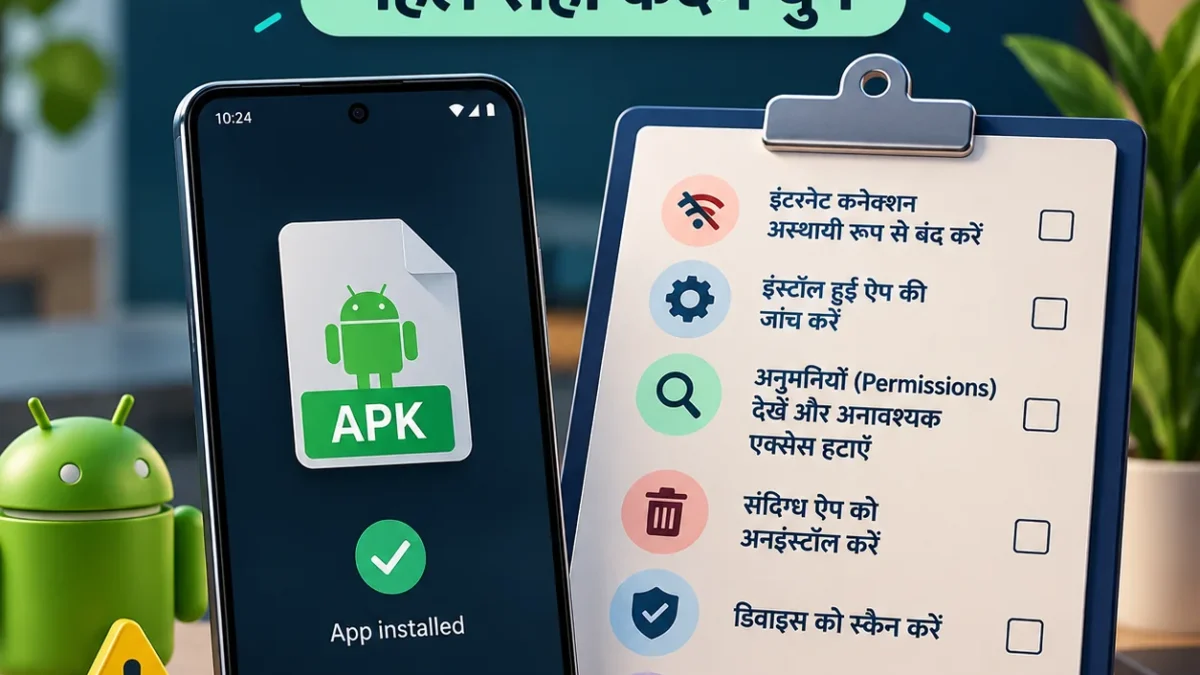
Build an APK incident action checklist from six answers. If money is missing, contact your bank and 1930 immediately; do not wait to complete this tool.
What does the APK Incident Response Wizard do?
A wedding invitation, challan or other WhatsApp message can leave you unsure what to do after an APK installation. This tool uses six general answers to arrange a practical action checklist. You describe the installation stage, unauthorised transactions, sensitive access, unusual account activity, shared credentials and whether the app is difficult to remove.
It does not access your phone, read your installed apps or detect malware. Every input is a fact reported by you. The result is not an infection score or a “100% safe” certificate. Choose “Not sure” when you lack information rather than guessing in order to receive a reassuring answer.
How to use it, and what not to provide
Complete all six questions and select “Build my checklist”. You can tick steps to remember your own progress. A tick does not confirm that an action succeeded or that the device is safe. Changing an answer clears the previous result; review the answers and generate a fresh checklist when the facts change.
There is no input for an APK, photo, phone number, account number, password, PIN or OTP. Do not provide those details. Copy the text, download TXT or use Print/PDF to open your browser’s printing facility. The tool does not submit a complaint, contact a bank or execute any change on your phone.
Financial harm takes priority over finishing this form
If you answer “Yes” to an unauthorised transaction, bank reporting, 1930 and NCRP appear first. You should take that action even before using this wizard. Verify the bank’s contact independently through official sources and use a trusted separate device. A support number inside the suspicious APK is not a reliable bank contact.
Keep incident and transaction records privately and retain complaint references. This tool does not ask for the amount, but the bank and official complaint process may need relevant details. Those are separate workflows. No checklist can promise reimbursement, a recovery deadline or a particular outcome for your incident.
Device cleanup and account recovery are separate
Removing an app cannot prove that every earlier consequence has ended. If credentials were exposed, unfamiliar sign-ins appeared or messages were sent without you, use the affected service’s official recovery and review sessions/devices and recovery contacts. Avoid entering fresh sensitive credentials on a suspect phone; use a trusted clean device.
The device review covers normal permissions and special access, whose menus vary. Accessibility also serves legitimate assistive functions, so its presence alone does not establish malware. Notification access is different from ordinary permission to display notifications. The checklist calls for reviewing identified suspicious access, not blindly disabling system, work or assistive applications.
Understand the limits of scans, Safe mode and reset
The checklist suggests Play Protect and Android/security updates. A clean scan does not end the need for other review. Google’s Improve harmful app detection may send unknown apps to Google; that behaviour is separate from this local wizard. Read official guidance rather than trusting a pop-up advertising an instant cleanup app.
Safe mode procedures depend on the manufacturer and are not forensic verdicts. If the app cannot be removed or returns, seek official support or a qualified technician. Factory reset can erase data and evidence. Consider urgent financial reporting, essential records and account access first, and do not reinstall unknown APKs afterwards.
Privacy and export boundaries
Answers remain within this page in your browser. The tool has no submission API, persistent storage or APK upload. Reloading or resetting removes the answers and checklist. Normal website hosting, advertisements and analytics are separate; the claim about local answers does not guarantee that all website traffic is anonymous.
TXT and print-to-PDF copies are created on your device. Protect the clipboard and downloaded files, especially on a shared computer. The export includes your selected general answers and recommended actions, not a hidden device diagnosis. Original incident evidence is not collected by this tool. Report through the correct official channels yourself.
Frequently asked questions
Is this an antivirus? No. It builds an action checklist from facts you report. It performs no scan and gives no infection verdict. Use appropriate official assistance for an actual device review.
Which option fits a download only? Select “Downloaded only, not installed” when you know that is what happened. If installation is uncertain, select “Not sure” and review the installed-app list.
Can I use it after uninstalling? Yes. That option still considers account sessions, permissions and transaction review. Removing an app is not proof that all earlier effects have disappeared.
What if I cannot answer a question? Use “Not sure”. The result acknowledges uncertainty rather than silently treating missing information as “No”. Verify facts with trustworthy help.
Will a PDF automatically report the incident? No. Browser printing makes your own copy. You must contact the bank/1930 and submit any NCRP report through the official process.
Full guide after a suspicious APK installation · Checks after uninstalling the app
Automated self-help checklist, not an individual forensic examination, legal opinion or banking service.