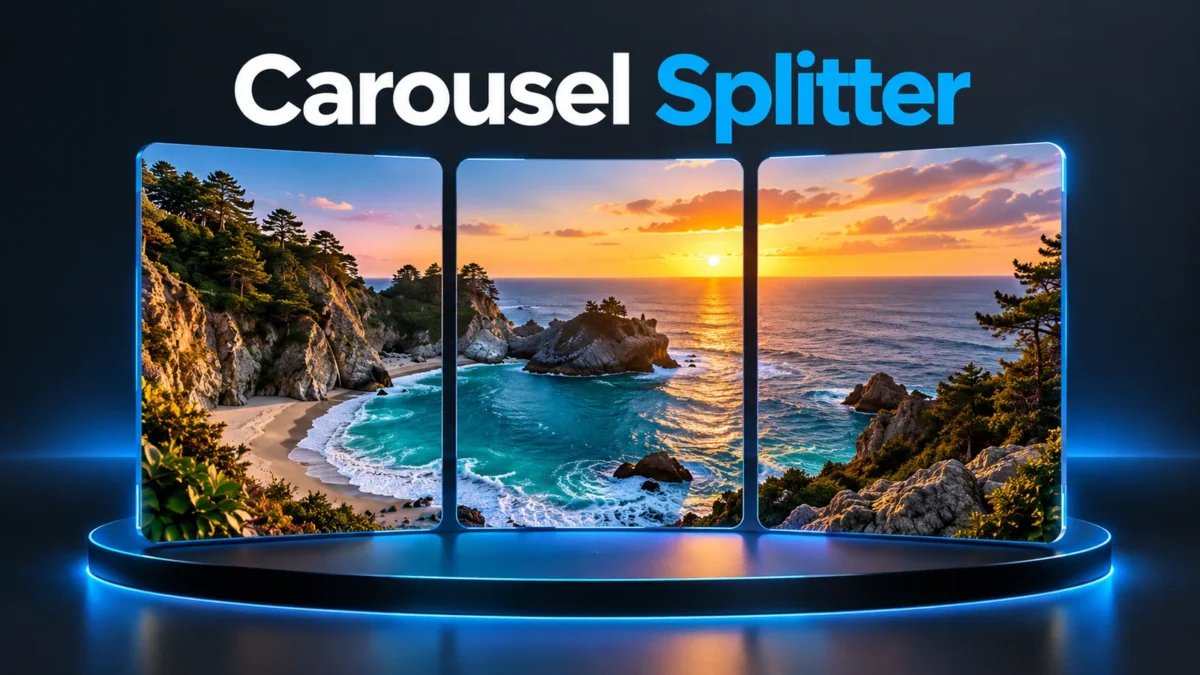
Turn one photo into a continuous swipe
A wide landscape, a long illustration, or a carefully arranged banner can work across several carousel slides. This splitter takes one image, makes a centered crop for your chosen layout, and exports matching PNG panels in order. You can download the individual panels or a ZIP containing the full set. It does not upload anything to Instagram or rearrange your profile grid.
The useful part is continuity: the right edge of one slide meets the left edge of the next when the panels are viewed together. Choose a source with enough room around the subject. A face or a short sentence placed exactly on a division can look awkward, even when the slicing is technically correct. Check the preview before downloading and keep the original image unchanged for another attempt.
How to split your photo
Choose a JPG, PNG, or WebP file from your device. Select between two and five slides, then choose a square 1:1 shape or portrait 4:5 shape. Press Split & preview. The tool creates panels that are 1080 pixels wide; square panels are 1080 by 1080, and portrait panels are 1080 by 1350. The preview shows the exported panels, followed by numbered download links.
Download the ZIP if you want to keep all panels together. Extract it with your device's file manager and select carousel-01.png first, then 02, 03, and the remaining numbers. Upload them as one carousel in that sequence. Do a final swipe check inside the publishing app before posting, because the app may apply its own crop, compression, or display treatment.
Choose a shape that fits the story
Square panels create a total canvas with a width-to-height ratio equal to the number of slides. Three square slides therefore form a 3:1 image. Portrait panels provide more height per slide: three 4:5 panels form a 2.4:1 image. A broad mountain view may fit square panels nicely, while an illustration containing people or taller objects may benefit from the portrait option.
The splitter fills the combined canvas using a centered crop. It does not stretch the photo to force the ratio. If the source is too tall, content at the top and bottom may be cropped; if it is too wide, content near the sides can be removed. To control the framing more precisely, crop a copy beforehand to the combined ratio you want, then load that prepared image here.
A practical three-slide example
For three portrait slides, the combined output is 3240 by 1350 pixels. A source already using that ratio can be divided without an additional shape change. A much smaller photo can still be enlarged, but the extra pixels do not create missing detail. Start from the original camera image or the highest-quality illustration you have rather than a screenshot of an already compressed post.
Keep a main subject mostly inside a single panel, or deliberately position it so the transition makes sense. Text should have enough breathing room from panel edges. A word split halfway across two slides may only be readable after a swipe. This is particularly important for instructions, event dates, and accessible captions that people need to understand without assembling the entire image mentally.
File limits, output, and privacy
The maximum input size is 20 MB, and the decoded image must not exceed 20 megapixels. These limits help keep the browser responsive on phones. The exported files use PNG, so a detailed photograph can produce a fairly large ZIP. This tool prioritizes clean numbered panels; it does not claim to compress the result to a particular file size.
The splitting code processes the selected image in your browser and does not upload it to a photo-processing server. Normal website resources such as advertisements or analytics can still load separately. Closing or refreshing the page removes the current preview; downloaded panels remain wherever your browser saves files. The original photo on your device is not overwritten. Keep that original if you may want a different slide count later.
When this is different from a profile grid splitter
A carousel is one post with several images that viewers swipe through. A profile grid is an arrangement of separate posts. This tool creates carousel panels and names them left to right. It does not predict how profile thumbnails will be cropped, compensate for new posts shifting your grid, or publish multiple posts in reverse order. Use the output for the workflow it is designed for.
For a series of separate photos, a collage or photo-dump layout may be more appropriate than slicing one picture. For an infographic, first check that each panel has enough readable content on its own. You can also use our existing image size checker to confirm the input dimensions and our image compressor if you need smaller source files for sharing elsewhere.
Troubleshooting before posting
If the result cuts off an important detail, prepare a wider or taller crop that matches the chosen combined ratio. If the edges seem mismatched, check that you did not skip a numbered file or let the publishing app use a different crop on one panel. If the download fails inside a social app's built-in browser, open the page in your regular browser and try a single panel first.
A corrupt image, unsupported format, oversized file, or photo above the megapixel limit will need a different source. Changing a filename extension does not convert an image. Re-export it as JPG, PNG, or WebP in a compatible app. If the phone is low on memory, close unnecessary tabs and use fewer slides. Always examine the exported files, rather than assuming that a visible preview means the final post will be framed identically.
Related tools and reading
- Check Image Dimensions, PDF Page Size and File KB
- Image Compressor to 20KB, 50KB or 100KB
- Photo Resize Online: Exact Pixels and KB Limit
Planning an original illustrated panorama? This guide explains how to describe a scene clearly. Writing clear image prompts with Gemini
Frequently asked questions
Can I download all slides together?
Yes. The ZIP includes numbered PNG files. Extract them before uploading, and use their numerical order for a continuous left-to-right swipe.
Are the slides square or portrait?
You can choose 1:1 or 4:5. The width is 1080 pixels for both options; height is respectively 1080 or 1350 pixels.
Does it change the original photo?
No. It creates new files. Your source stays on your device, so you can return to it and make another version with a different layout.
Why did part of my image disappear?
The combined layout is filled with a centered crop. Prepare the source to the target combined ratio if you want closer control over which content remains.
Is this the same as three profile-grid posts?
No. These files are designed as slides of one carousel. Separate profile posts have a different ordering and thumbnail-cropping workflow.
Will splitting a small photo improve its quality?
No. The tool may enlarge a small source to the fixed output dimensions, but it cannot recreate missing detail. Start from a sharp original and inspect each panel before posting. PNG output avoids an additional lossy JPEG encoding step here.
Can I use a phone without uploading my photo?
Yes, the splitting code processes your selected image in the browser. The website may load its usual ads or analytics separately. On a phone, start with fewer slides if memory is limited, and use your file manager to extract the downloaded ZIP.