 Vista
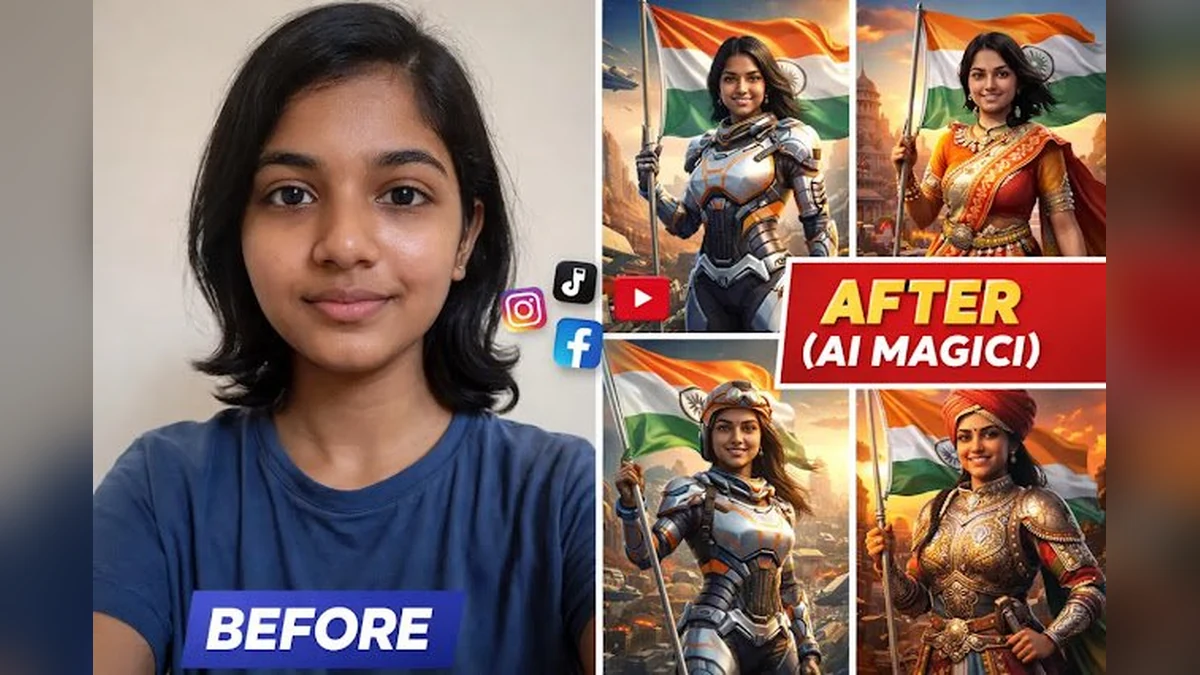
26 જાન્યુઆરી માટે AI થી તમારી ‘વાયરલ’ તિરંગા DP બનાવો!
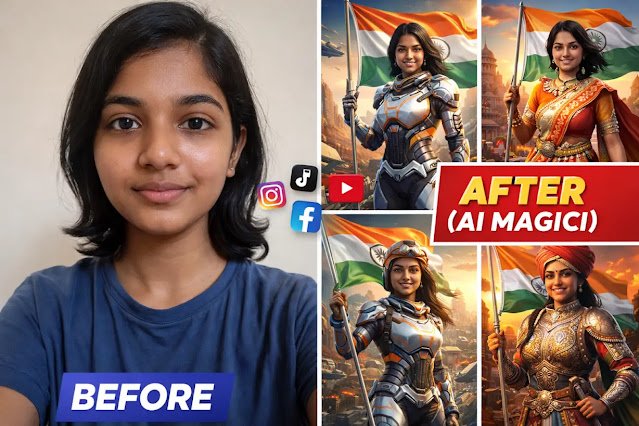
આ રિપબ્લિક ડે (Republic Day 2026) પર શું તમે પણ તમારી સોશિયલ મીડિયા પ્રોફાઇલ પર જૂનો ફોટો મૂકવાના છો? હવે જમાનો બદલાઈ ગયો છે! હવે AI (Artificial Intelligence) નો યુગ છે. તમે સોશિયલ મીડિયા પર જોયું હશે કે લોકો તિરંગા સાથે પોતાના શાનદાર 3D અને સિનેમેટિક ફોટા લગાવી રહ્યા છે, જેના પર તેમનું નામ પણ લખેલું હોય છે. તમે વિચારી રહ્યા હશો કે આ કેવી રીતે બને છે? ખુશખબર! તમારે કોઈ એડિટિંગ શીખવાની જરૂર નથી! આજે અમે તમારા માટે લાવ્યા છીએ 5 તૈયાર જાદુઈ પ્રોમ્પ્ટ્સ (Prompts). ફક્ત કોપી કરો, તમારું નામ ઉમેરો અને એક ક્લિકમાં તમારી વાયરલ DP તૈયાર કરો!
✨ તમારો મનપસંદ સ્ટાઈલ પસંદ કરો (Top 5 AI Prompts) ✨
1. વાયરલ 3D સોશિયલ મીડિયા કેરેક્ટર (સૌથી લોકપ્રિય)
આ સ્ટાઈલ હાલમાં Instagram અને WhatsApp પર સૌથી વધુ ટ્રેન્ડિંગ છે. એક સુંદર 3D કેરેક્ટર જે સોશિયલ મીડિયા લોગો પર બેઠેલું હોય.
Prompt Copy
A cute 3D illusion of a young Indian boy [OR GIRL] wearing a casual hoodie and jeans, sitting comfortably on a large green WhatsApp [OR INSTAGRAM] logo icon. He is holding a small Indian Tricolor flag proudly in his hand. The background is a blurred Indian street decorated for Republic Day. The text ‘[YOUR NAME]’ is written in bold white 3D letters at the bottom of the logo. Trending social media art style, vibrant colors.
2. સિનેમેટિક હીરો (ઇન્ડિયા ગેટ સામે)
જો તમે એક દમદાર અને રિયાલિસ્ટિક ફોટો ઇચ્છો છો જે કોઈ ફિલ્મ પોસ્ટર જેવો લાગે, તો આ સ્ટાઈલ પસંદ કરો.
Prompt Copy
A realistic cinematic photograph of a young Indian man [OR WOMAN] standing proudly in front of the India Gate, New Delhi. They are holding a large Indian National Flag waving in the wind. Golden hour sunset lighting, patriotic atmosphere, detailed textures. The name ‘[YOUR NAME]’ is subtly written in gold font on the bottom corner. 8k resolution, highly detailed.
3. આર્ટિસ્ટિક સ્કેચ (પેન્સિલ અને વોટરકલર)
કલાત્મક અને ભાવનાત્મક ટચ માટે આ સ્કેચ સ્ટાઈલ શ્રેષ્ઠ છે. તે ખૂબ જ ક્લાસિક લાગે છે.
Prompt Copy
A beautiful artistic pencil sketch combined with watercolor splashes of an Indian face merging with the colors of the Indian tricolor flag (Saffron, White, Green). The style is emotional and patriotic. The name ‘[YOUR NAME]’ is handwritten in beautiful calligraphy script below the portrait on textured paper.
4. ફ્યુચર ઇન્ડિયા (વિકસિત ભારત 2047)
2026 માં 2047 નું વિઝન! જો તમે ટેકનોલોજી અને ભવિષ્ય બતાવવા માંગો છો તો આ નિયોન સ્ટાઈલ પસંદ કરો.
Prompt Copy
A futuristic portrait of a young Indian person in the year 2047. They are wearing a high-tech jacket with glowing neon tricolor accents. The background shows a futuristic, technologically advanced Indian city with flying vehicles and holograms of the Indian flag. Neon text ‘[YOUR NAME]’ glowing at the bottom in futuristic font. Cyberpunk vibe.
5. પરંપરાગત અને સાંસ્કૃતિક (દેશી વાઇબ)
ભારતીય પરંપરા દર્શાવતો એક ભવ્ય અને સન્માનજનક ફોટો, જે પરિવાર સાથે શેર કરવા માટે શ્રેષ્ઠ છે.
Prompt Copy
A respectful portrait photograph of a young Indian woman in a traditional white saree with saffron and green border [OR MAN IN WHITE KURTA-PAJAMA], holding the folded Indian flag respectfully close to their chest with folded hands (namaste pose). Smiling gently. Background is a traditional Indian courtyard decorated with marigold flowers. Hindi text ‘[YOUR NAME]’ at the bottom.
આ પ્રોમ્પ્ટ્સનો ઉપયોગ કેવી રીતે કરવો? (How to Use)
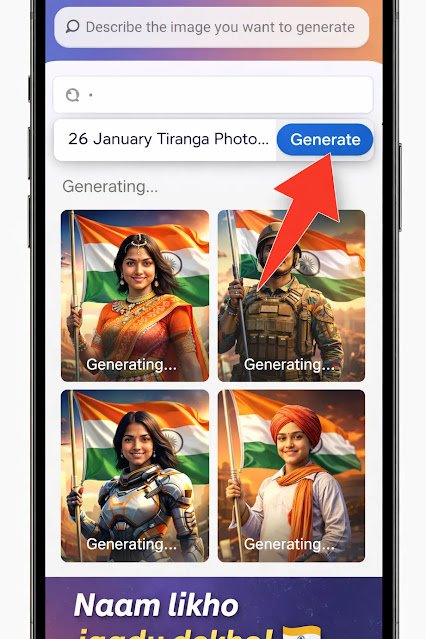
સૌ પ્રથમ, ઉપર આપેલા તમારા મનપસંદ સ્ટાઈલના પ્રોમ્પ્ટને કોપી કરો. કોઈપણ AI ઇમેજ જનરેટર ટૂલ (જેમ કે Bing Image Creator અથવા Microsoft Designer) ખોલો. ત્યાં પ્રોમ્પ્ટ પેસ્ટ કરો. મહત્વપૂર્ણ: પ્રોમ્પ્ટમાં જ્યાં ‘[YOUR NAME]’ લખેલું છે, તેને બદલીને તમારું નામ લખો. (તમે BOY/GIRL પણ બદલી શકો છો). ‘Generate’ બટન દબાવો અને થોડી જ સેકન્ડમાં તમારો વાયરલ ફોટો તૈયાર!
આ 26 જાન્યુઆરીએ, તમારી DP થી બધાને ચોંકાવી દો! 🇮🇳 જય હિન્દ! 🇮🇳
FAQ
1. 26 જાન્યુઆરી માટે AI થી તિરંગા DP કેવી રીતે બનાવવી?
તમે AI ઇમેજ જનરેટર ટૂલ્સનો ઉપયોગ કરીને 26 જાન્યુઆરી માટે તિરંગા DP બનાવી શકો છો. ઉપર આપેલા જાદુઈ પ્રોમ્પ્ટ્સને કોપી કરીને, તેમાં તમારું નામ ઉમેરીને અને AI ટૂલમાં પેસ્ટ કરીને તમે સરળતાથી અદભૂત DP બનાવી શકો છો.
2. શું આ AI પ્રોમ્પ્ટ્સ વાપરવા માટે મફત છે?
મોટાભાગના AI ઇમેજ જનરેટર ટૂલ્સ મફત ઉપયોગ માટે અમુક ક્રેડિટ્સ અથવા મર્યાદાઓ સાથે આવે છે. Bing Image Creator જેવા ટૂલ્સ સામાન્ય રીતે મફત હોય છે.
3. શું હું પ્રોમ્પ્ટમાં મારું નામ બદલી શકું છું?
હા, ચોક્કસ! પ્રોમ્પ્ટમાં જ્યાં ‘[YOUR NAME]’ લખેલું છે, તેને બદલીને તમે તમારું મનપસંદ નામ ઉમેરી શકો છો.
4. કયા AI ટૂલ્સ આ પ્રોમ્પ્ટ્સ માટે શ્રેષ્ઠ છે?
Microsoft Designer, Bing Image Creator, Midjourney, DALL-E 3 જેવા AI ટૂલ્સ આ પ્રકારના પ્રોમ્પ્ટ્સ માટે ખૂબ અસરકારક છે.
5. શું હું આ DP નો ઉપયોગ મારા બિઝનેસ માટે કરી શકું?
AI જનરેટેડ ઇમેજનો ઉપયોગ સામાન્ય રીતે વ્યક્તિગત ઉપયોગ માટે સુરક્ષિત હોય છે. જોકે, વ્યાપારી ઉપયોગ માટે, તમારે AI ટૂલની લાઇસન્સિંગ શરતો તપાસવી જોઈએ.










Share Your Opinion
Comments are closed on this post.